This article is outdated !
A newer version of the app with a completely redesigned interface and updated features is now available. Please read our latest post here: Dump1090 – Android – ebcTech.eu
How to Set Up Dump1090 on Android with RTL-SDR: A Complete Guide
Looking to track ADS-B signals using your Android device? This guide walks you through setting up Dump1090 with an RTL-SDR dongle to build a portable ADS-B receiver.
Prepare Your Equipment
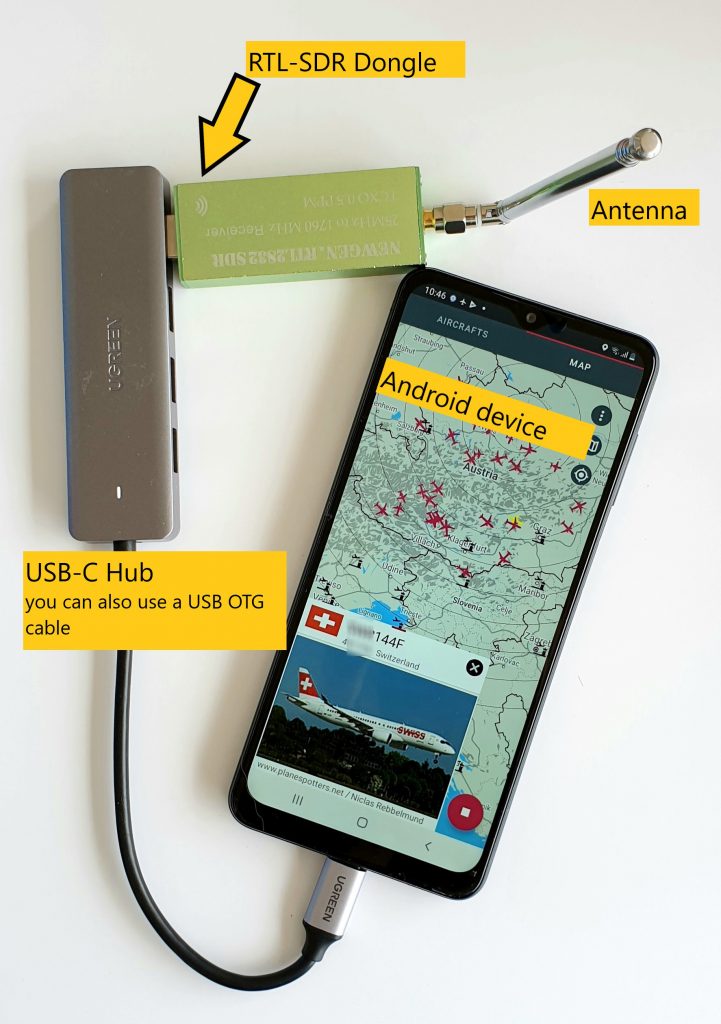
- USB OTG Cable or USB OTG Hub
- RTL SDR Dongle with TCXO (recommend RTL-SDR V3 Dongle)
- Antenna
01. Download Dump1090
Download Dump1090 on Google Play Store. Ensure you enable necessary permissions for the app.

02. Download RTL SDR Driver
Download RTL SDR Driver on Google Play Store. Ensure you enable necessary permissions for the app to access USB devices.
03. Start App Dump 1090
Accept the permission request to use your device location.
04. Connect USB Dongle
Plug the RTL-SDR dongle into the OTG adapter or HUB and connect it to your Android phone or tablet.
Please use a high quality USB OTG adapter / hub to connect your RTL SDR dongle – this is the most common cause of failure.
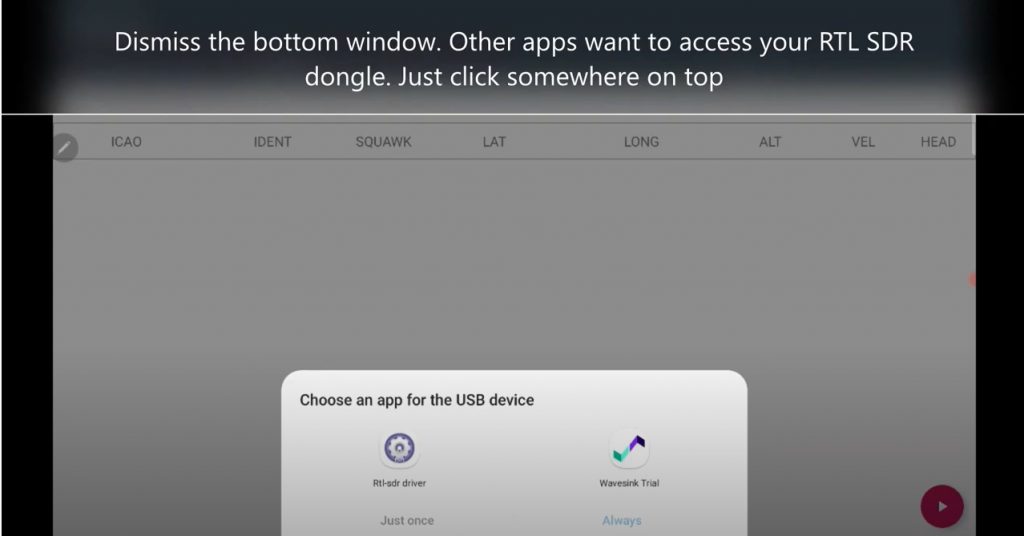
If you have other RTL SDR apps installed there is maybe a permission request by that apps – DISMISS IT.
Don’t worry other apps will still work but our app need now the permission to access the USB device.
04. Start receiving
with the pink floating play button
05. Accept permission window
of RTL SDR DRIVER to access the USB port of your Android device.
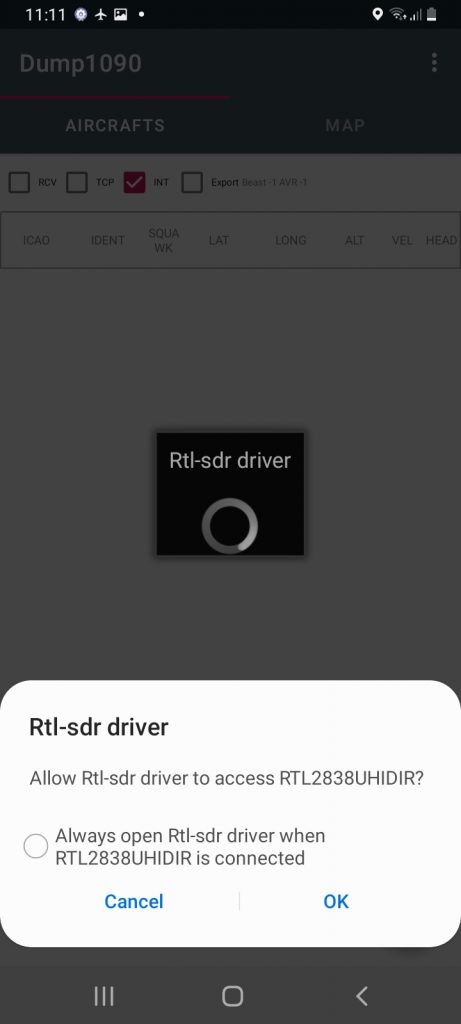
If you have other RTL SDR apps installed there is maybe a permission request by that apps – DISMISS IT.
Don’t worry other apps will still work but our app need now the permission to access the USB device.
06. Run
let the app run for a minute or two and monitor if you receive aircrafts.
Have look at FAQ section for more info.
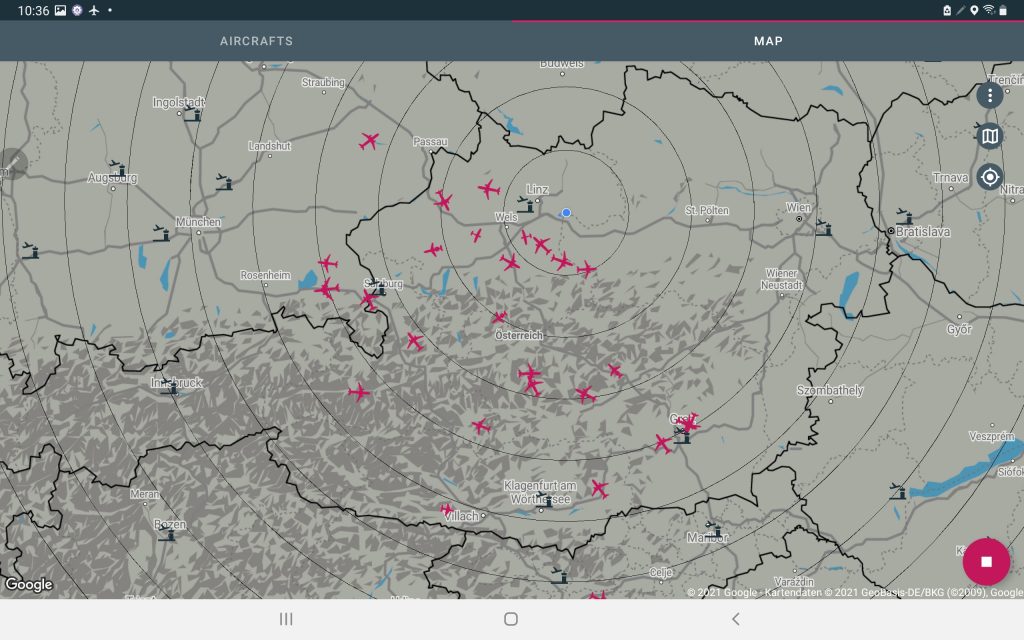
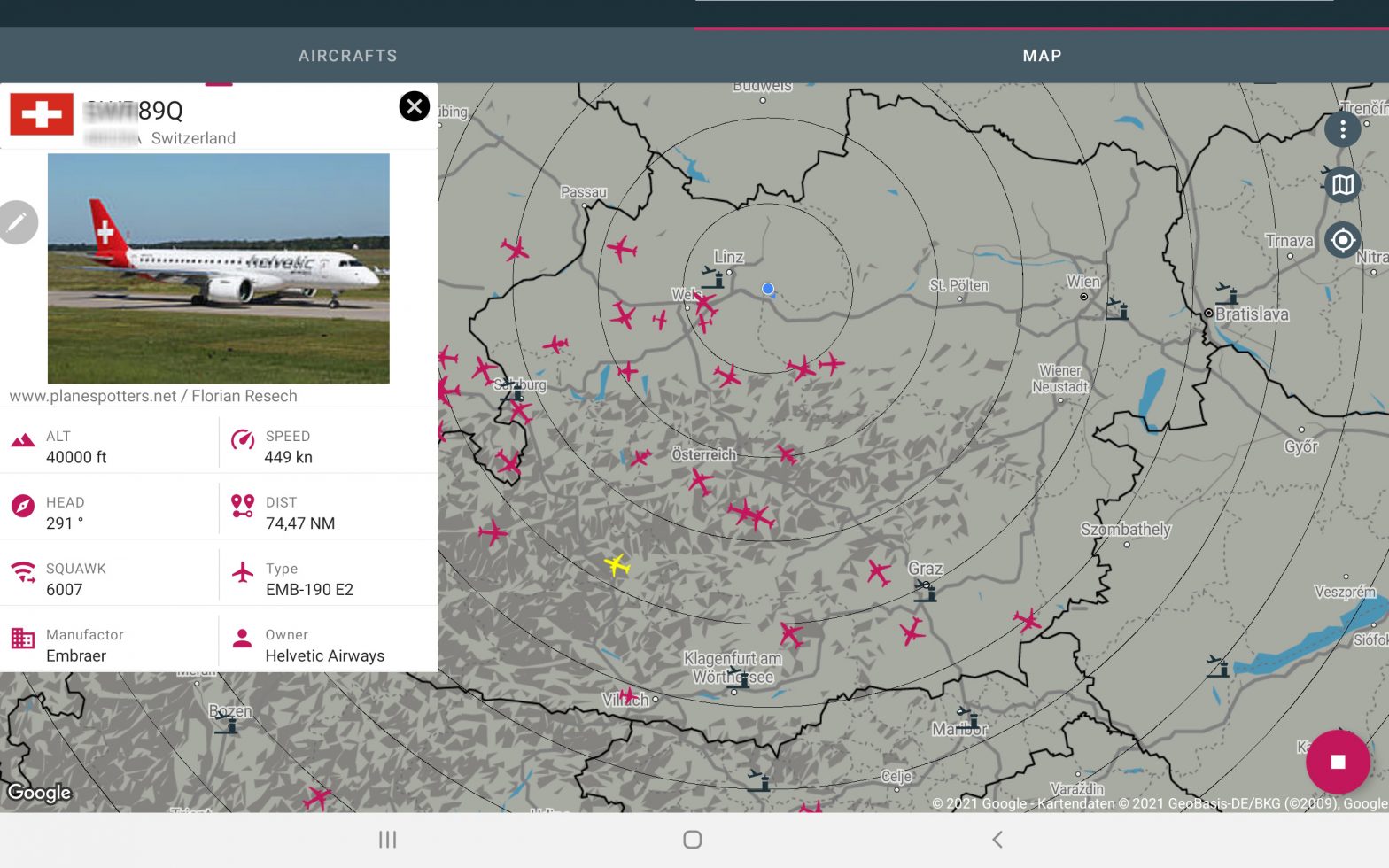
With this setup, you can easily monitor live air traffic using just an Android device and Dump1090 software.
Disclaimer
THIS SOFTWARE IS PROVIDED “AS IS”, WITHOUT WARRANTY OF ANY KIND, EXPRESS OR IMPLIED, INCLUDING BUT NOT LIMITED TO THE WARRANTIES OF MERCHANTABILITY AND FITNESS FOR A PARTICULAR PURPOSE.
IN NO EVENT SHALL THE AUTHORS OR COPYRIGHT HOLDERS BE LIABLE FOR ANY CLAIM, DAMAGES OR OTHER LIABILITY, WHETHER IN CONTRACT, TORT OR OTHERWISE, ARISING FROM, OUT OF OR IN CONNECTION WITH THE SOFTWARE OR THE USE OR OTHER DEALINGS IN THE SOFTWARE.
This application is not certified for aviation use.
DO NOT rely on this software for safety of life or property.
DO NOT use this application for navigation, air traffic control, collision avoidance, or any safety-critical purposes.
The displayed aircraft data may be inaccurate, delayed, or incomplete. The accuracy and availability of received signals cannot be guaranteed.
This application processes radio signals (ADS-B at 1090 MHz) using an RTL-SDR compatible device.
Reception and decoding of radio signals may be restricted or regulated in some jurisdictions.
You are solely responsible for complying with all applicable local laws and regulations.
The developers assume no responsibility for any legal or regulatory violations resulting from the use of this application.
Legal attribution
Android, Google Play and the Google Play logo are trademarks of Google Inc.
When for iOS I use o le iphone
iOS does not allow to directly access USB devices. So it is technically impossible.
Hello! Can this soft send decoded data by net, like original dump1090 „–net“ in AVR or BEAST modes?
Yes – see
https://ebctech.eu/dump1090-export/
Hi please add proximity alert
Interesting – could you specify what kind of filter you think for a proximityx alarm
It’s works with HackRF?
Try it. App is free with limitation in received messages. I do not have an HackRF to test.
Is it possible to use offline maps as OSM+ ?
If you have Internet connection, the map tiles will be downloaded and cached. So you will have that map avaliable even if you are offline.
Too late I realized that the app is not free. it works only until some limit of messages. it’s not clear how to pay to remove that limitation.
it would be fair to declare it somewhere in application information.
There are in app purchases avaliable as stated in Google play store description. Press the three dot menu and go to upgrade menu item