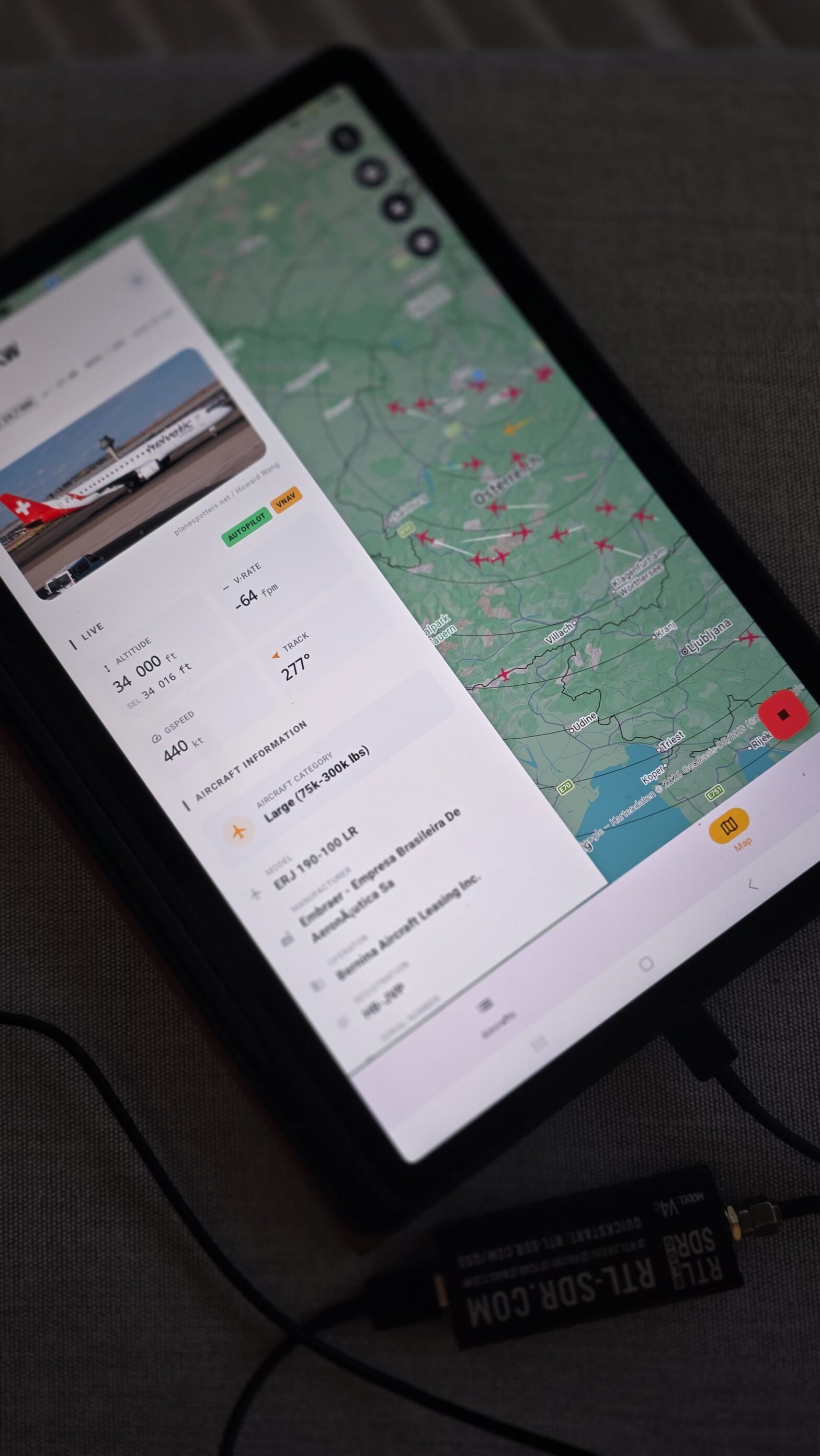
Track live aircraft around you using your Android phone and a low-cost USB RTL-SDR dongle — no subscription, no cloud service, and 100% on-device ADS-B decoding.
Welcome to V2! Rebuilt to be faster, smarter, and beautifully redesigned.

Dump1090 for Android turns your phone or tablet into a real-time ADS-B aircraft receiver. With an RTL-SDR USB dongle, an OTG cable, and a 1090 MHz antenna, you can receive aircraft broadcasts directly and display nearby traffic on a live Google Maps view and in a detailed aircraft list.
All aircraft reception and decoding happen on your Android device. An internet connection is not required to receive aircraft. Internet is only used for optional features such as aircraft photos, registration details, and online feeder export.

Quick Summary
| App | Dump1090 for Android |
| Purpose | Real-time ADS-B aircraft tracking |
| Receiver | RTL2832U-based RTL-SDR USB dongle |
| Required Android driver | rtl_tcp_andro / RTL-SDR Driver |
| Antenna | 1090 MHz ADS-B antenna strongly recommended |
| Internet required? | No. Receiving and decoding works offline. |
| Map | Live Google Maps aircraft view |
| Export | Beast, AVR, BaseStation/SBS-1, TCP client/server, and file export |
| Typical range | 100–300 km depending on antenna and environment. With a good outdoor antenna, 200–400 km or more may be possible. |
| Tablet support | Android 6.0+ tablets supported, including enhanced landscape layouts. |
| Price | Free with limitations Receive a limited number of ADS-B messages for free. After reaching the limit, reception pauses until you start again. Unlock unlimited reception for a fair one-time purchase (~$5). Use Premium on all your devices. No subscription required |
Table of Contents
- What is Dump1090 for Android?
- Why use Dump1090 instead of an online tracker?
- Screenshots
- Hardware and software needed
- How to set up Dump1090 on Android
- Aircraft List Screen
- Live aircraft map and flight trails
- Export ADS-B data
- Battery Optimization
- Settings Reference
- Troubleshooting
- Frequently Asked Questions
What is Dump1090 for Android?
Dump1090 for Android is a real-time ADS-B receiver and visualiser. ADS-B stands for Automatic Dependent Surveillance–Broadcast. Aircraft continuously broadcast information such as position, altitude, speed, heading, and identity on 1090 MHz.
With an inexpensive RTL-SDR USB dongle connected to your phone through an OTG cable, Dump1090 decodes these signals and displays every aircraft in range on a live Google Maps view and a scrollable aircraft list.
Highlights
- 🛩️ Real-time ADS-B decoding
- 🗺️ Live Google Maps view with type-specific aircraft markers
- 🛤️ Flight trails showing the recent path of selected aircraft
- 📋 Scrollable aircraft list with expandable detail cards
- 📸 Aircraft photos via Planespotters.net
- 📡 Export to Beast, AVR, BaseStation/SBS-1, TCP servers, TCP client, and online feeders
- 📁 File export in BaseStation/SBS-1 CSV format
- 🌍 ICAO-to-country mapping with offline flag display
- 📐 Metric and Imperial units
- ⏱️ Custom list and map aircraft timeouts
- 📱 Tablet-optimised UI with 2-column aircraft list and landscape side-panel aircraft details
Why Use Dump1090 Instead of an Online Tracker?
Online aircraft tracking websites are useful, but they show data collected and filtered through internet-based services. Dump1090 receives ADS-B signals directly from aircraft using your own RTL-SDR receiver.
This means aircraft reception and decoding work completely offline on your Android device. Use Dump1090 if you want to track aircraft directly, build a portable ADS-B receiver, feed decoded data to other software, or learn how ADS-B and RTL-SDR aircraft tracking work in practice.
📱 Screenshots
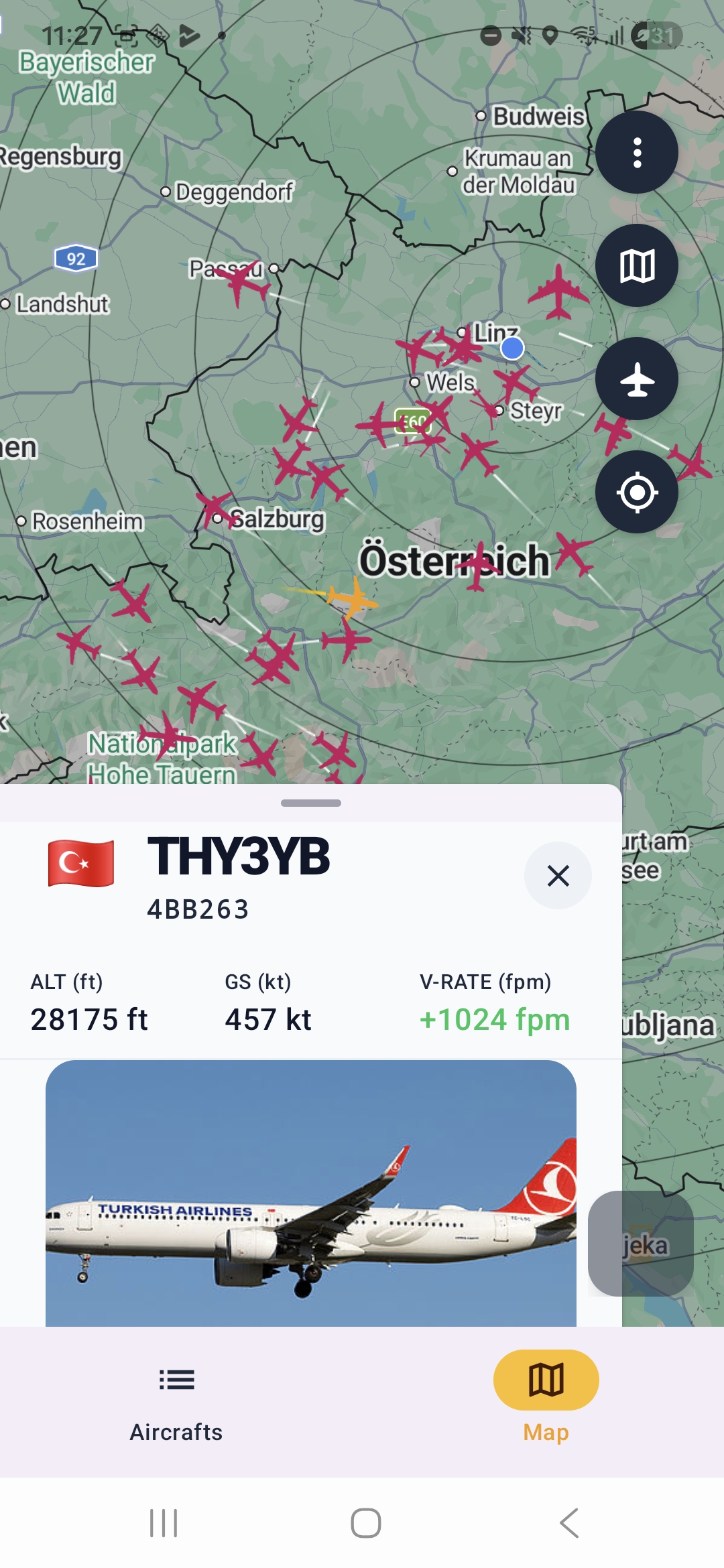
Mobile
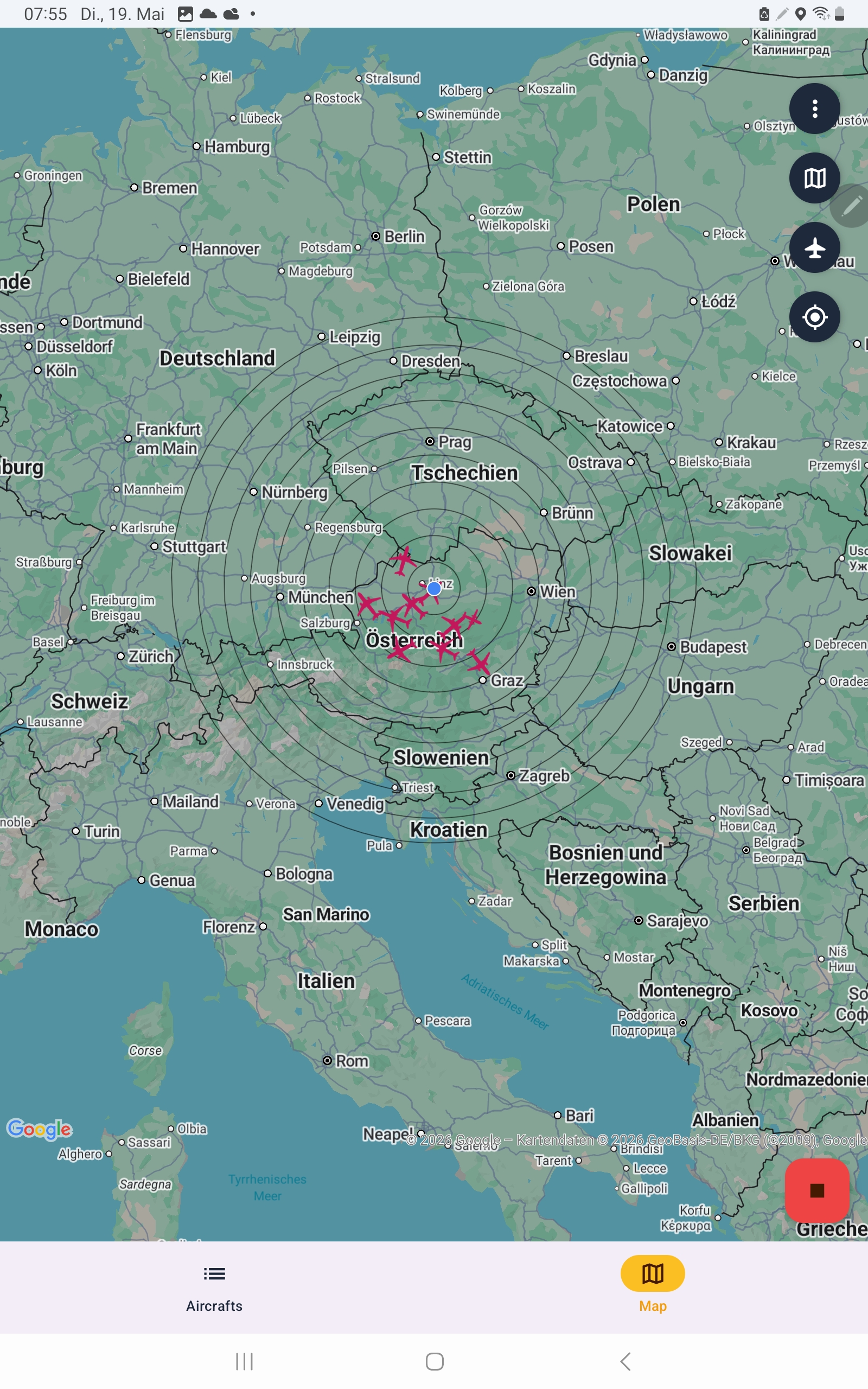
Tablet
Hardware and Software Needed
Before you can receive aircraft, you need a small amount of hardware and one additional Android app.
| Requirement | Needed? | Notes |
|---|---|---|
| Android phone or tablet | Yes | Android 6.0+ tablets are supported. |
| RTL-SDR USB dongle | Yes | Any RTL2832U-based dongle works. RTL-SDR Blog V3/V4 is recommended. |
| USB OTG cable | Yes | Use a high-quality OTG cable. Cheap OTG cables are a common cause of connection failures. |
| 1090 MHz antenna | Strongly recommended | A dedicated ADS-B antenna greatly improves range. |
| rtl_tcp_andro / RTL-SDR Driver | Yes | Provides raw IQ samples to Dump1090 through a local TCP socket. |
| Internet connection | Optional | Used only for aircraft photos, registration details, and online feeding. |
Hardware
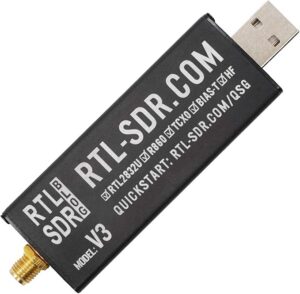
1. RTL-SDR USB Dongle
Any RTL2832U-based dongle works. The RTL-SDR Blog V3 or V4 dongles are recommended for best performance and usually cost around €25–€35.
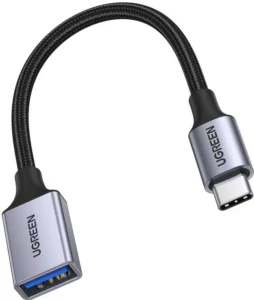
2. High-Quality USB OTG Cable
Use a quality USB OTG cable, such as USB-A female to USB-C or Micro-USB male. Cheap cables are one of the most common causes of connection failures.
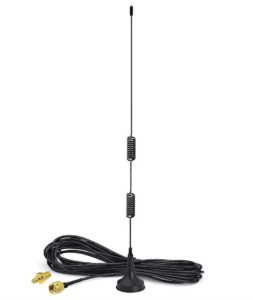
3. 1090 MHz Antenna
A dedicated 1090 MHz ADS-B antenna or a simple quarter-wave monopole can dramatically improve reception range.
*As an Amazon Associate and AliExpress Affiliate, I may earn a small commission from qualifying purchases. The decision to buy anything is completely yours.
Software
1. rtl_tcp_andro / RTL-SDR Driver
This free Android app communicates with the RTL-SDR dongle and provides raw IQ samples to Dump1090 through a local TCP socket. Install it before starting Dump1090.
2. Dump1090 for Android
The ADS-B receiver and visualisation app for Android.
Optional
- GPS / Location permission — enables distance-to-aircraft display and centres the map on your position. On Android 12+, precise location is required for full functionality.
- Internet connection — used for aircraft photo lookup, registration details, and online feeding. Receiving and decoding aircraft works offline.
How to Set Up Dump1090 on Android
- Plug your RTL-SDR dongle into your Android phone or tablet using the OTG cable or adapter..
- Open Dump1090 and tap the blue Play button.
- Grant location permission if requested.
- Aircraft should appear on the map and in the list within a few seconds.
Aircraft List Screen
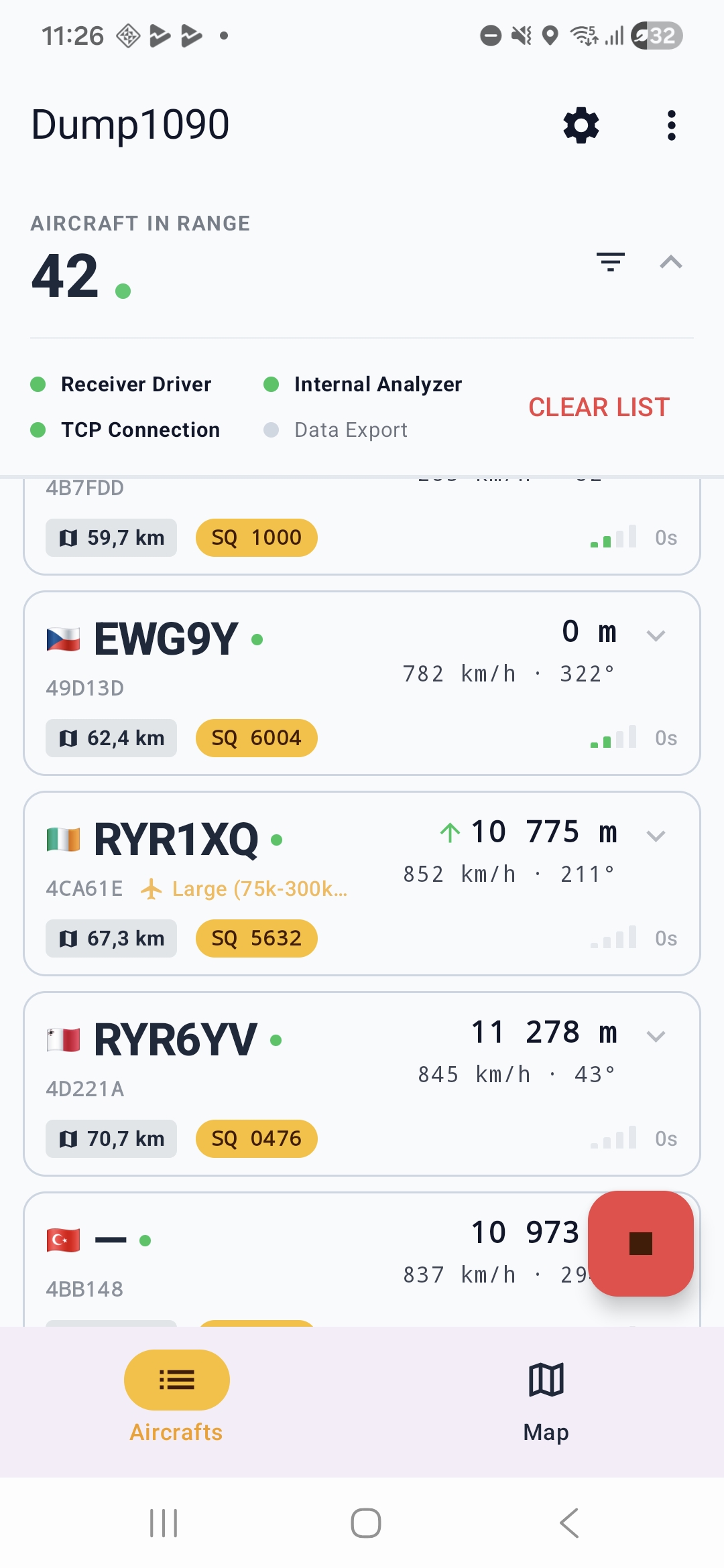
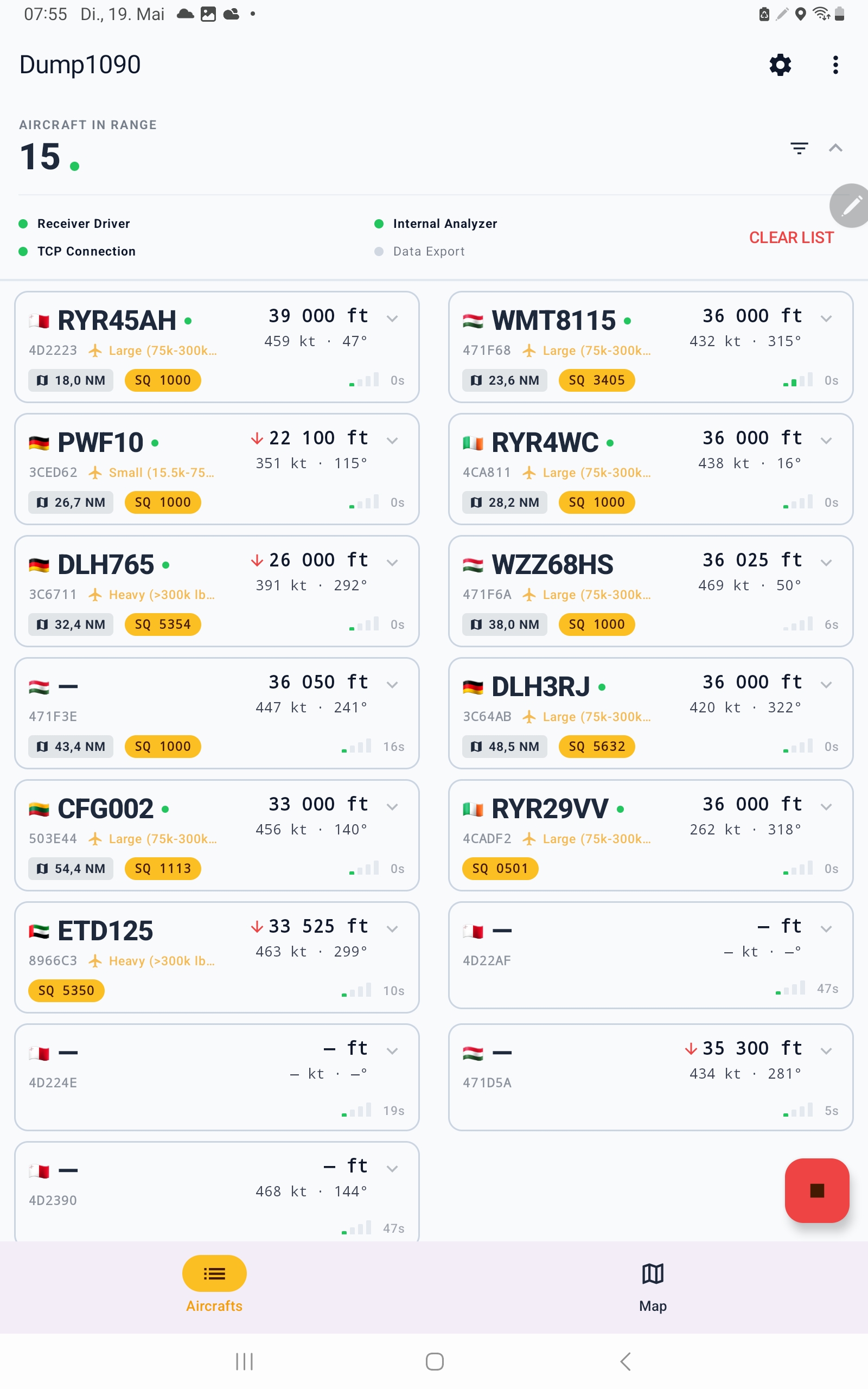
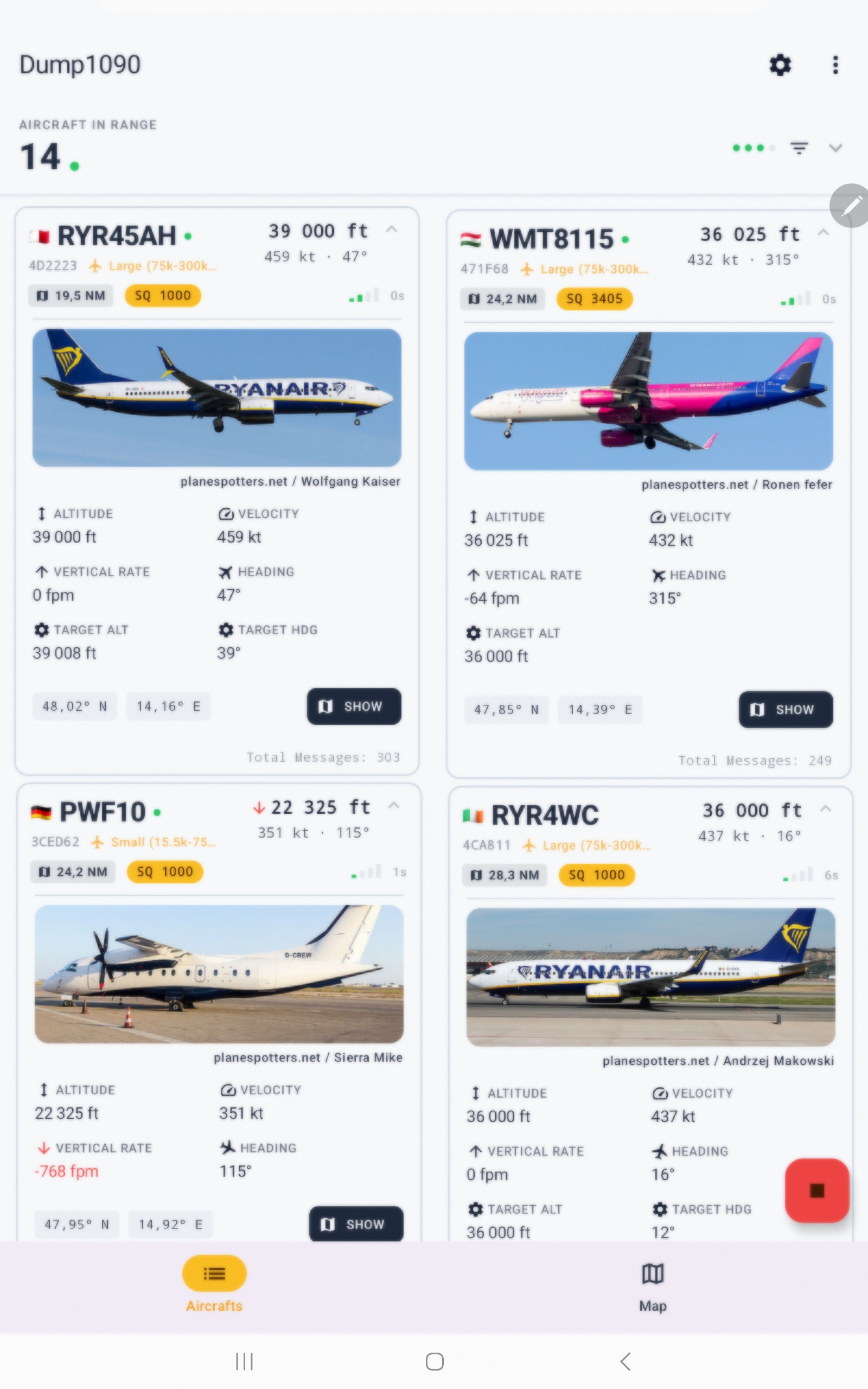
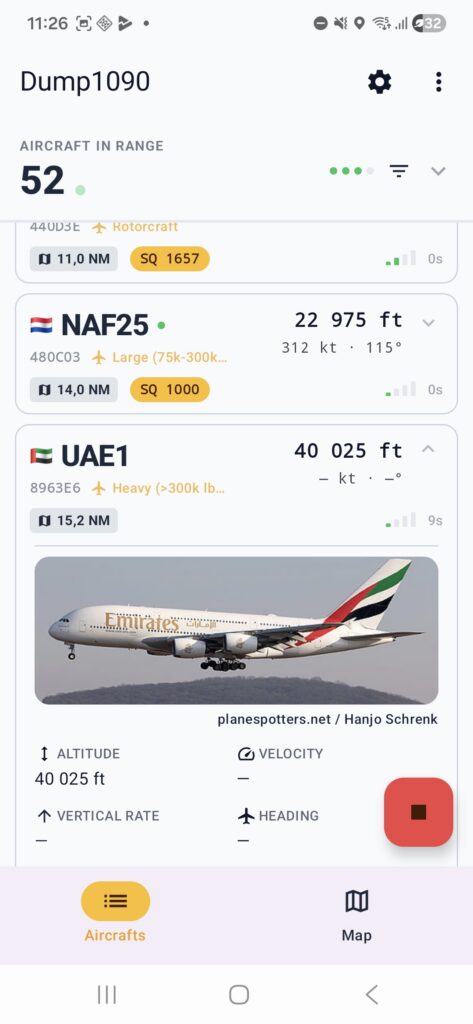
The Aircraft List tab shows every aircraft currently being decoded, sorted by the last message received. Tap any aircraft card to expand it and view full details, including a live aircraft photo when available.
Status Bar
| Indicator | Meaning |
|---|---|
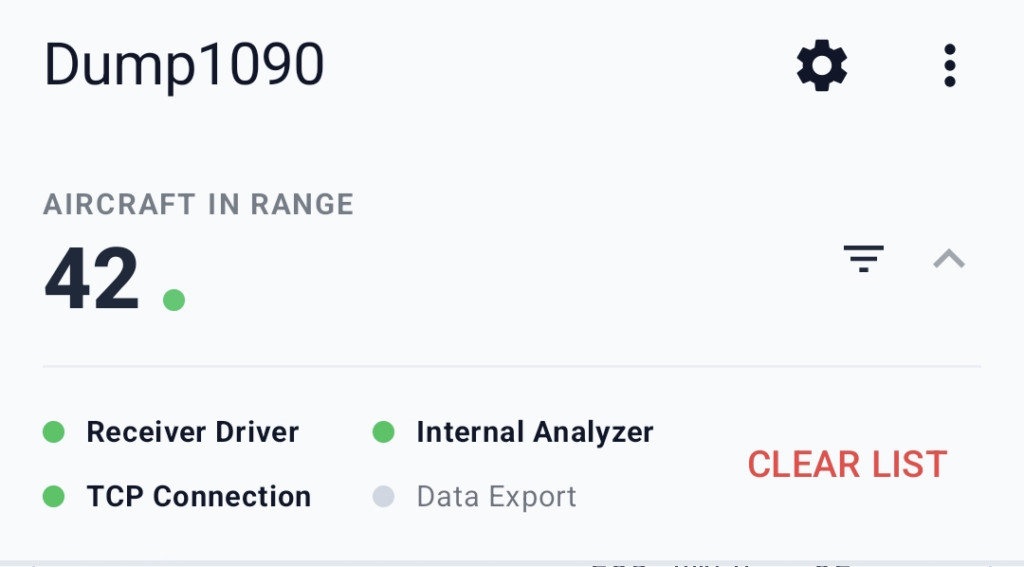
| Receiver Driver | The RTL-SDR driver is actively sending raw IQ data from the dongle. |
| TCP Connection | The internal TCP receiver thread is running and passing data to the decoder. |
| Internal Analyzer | The ADS-B decoder background thread is running. |
| Data Export | At least one export channel is actively sending data. |
Each indicator uses a coloured dot: green means active, while grey means inactive. The CLEAR button removes all aircraft from the list and map.
Aircraft Card Details
- Country flag — derived from the ICAO hex address and available offline.
- Callsign / flight number — a dash is shown when no identity is broadcast.
- ICAO hex code — the 24-bit aircraft address, for example
3C6544. - Squawk code — emergency squawks 7500, 7600, and 7700 are highlighted.
- Distance — shown when GPS and aircraft position are available.
- Altitude, speed, heading and signal bars — useful for identifying aircraft and optimizing antenna placement.
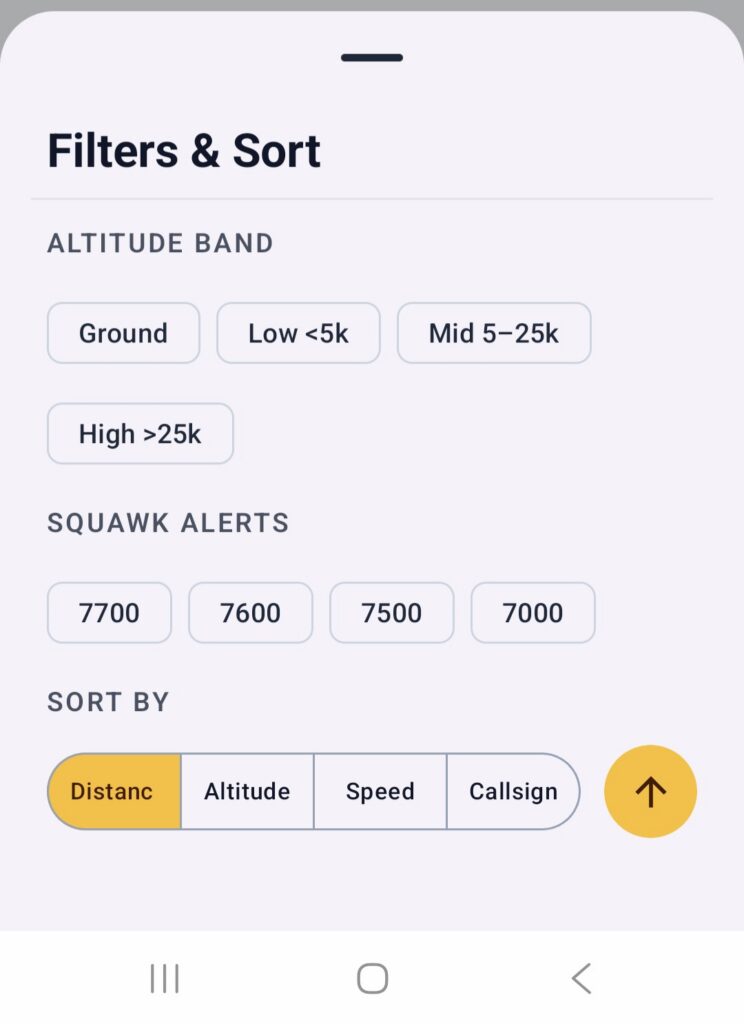
Filter
The Filters & Sort menu helps you focus on the aircraft that matter most to you.
These settings affect only the Aircraft List tab — the map view and receiver itself remain unchanged. Filters simply control which aircraft entries are shown in the list
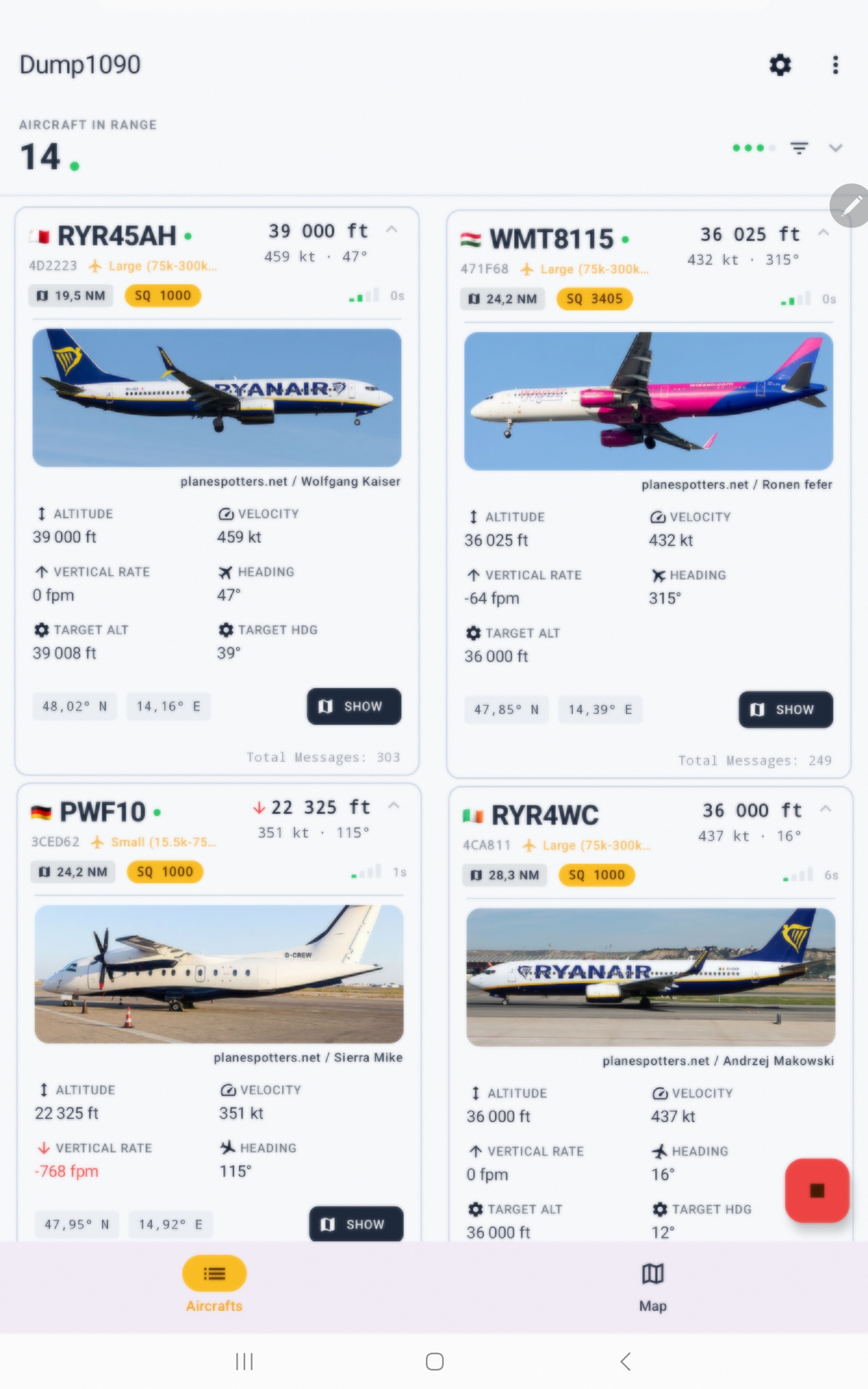
Tablet Layout
On tablets and wide screens in landscape orientation, the aircraft list automatically switches to a 2-column grid, allowing more aircraft to be visible at once.
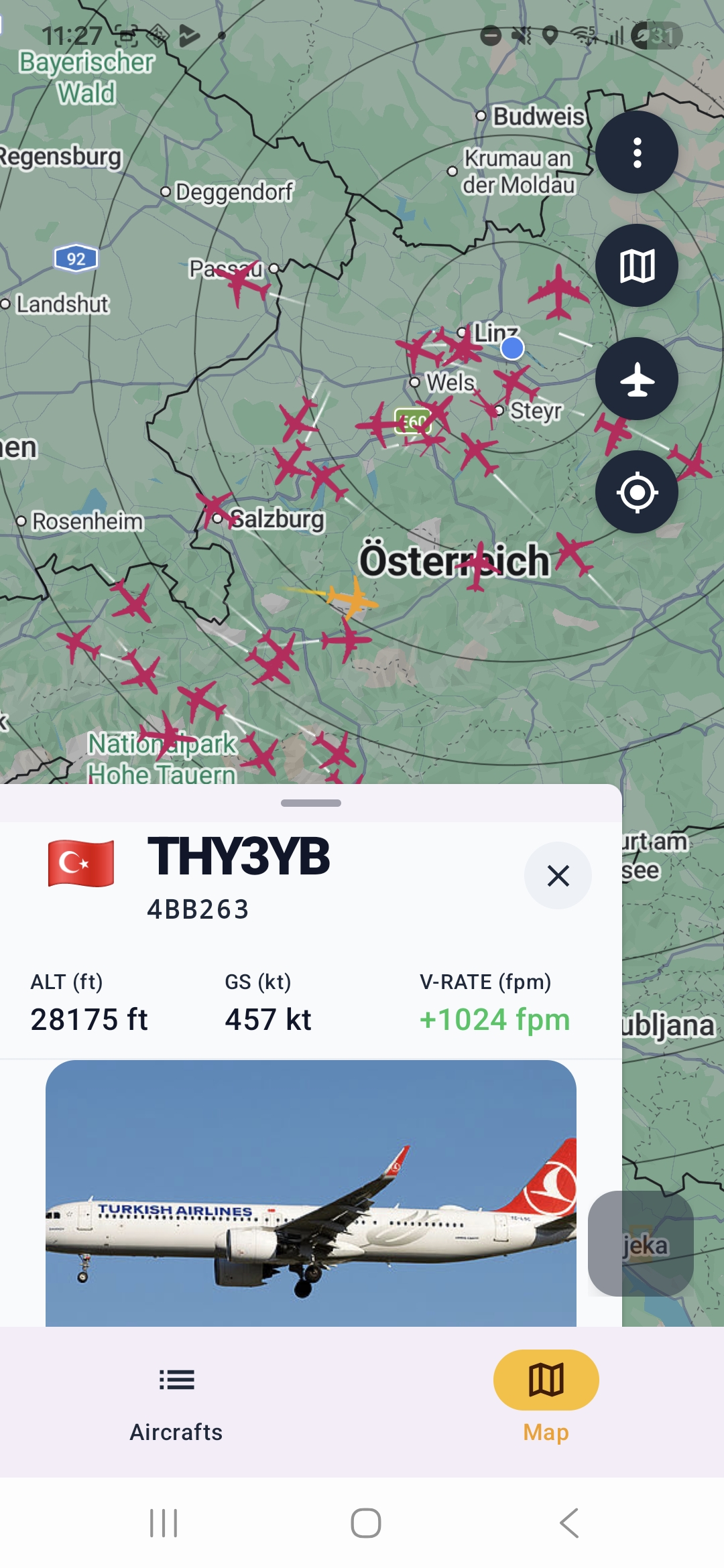
Live Aircraft Map
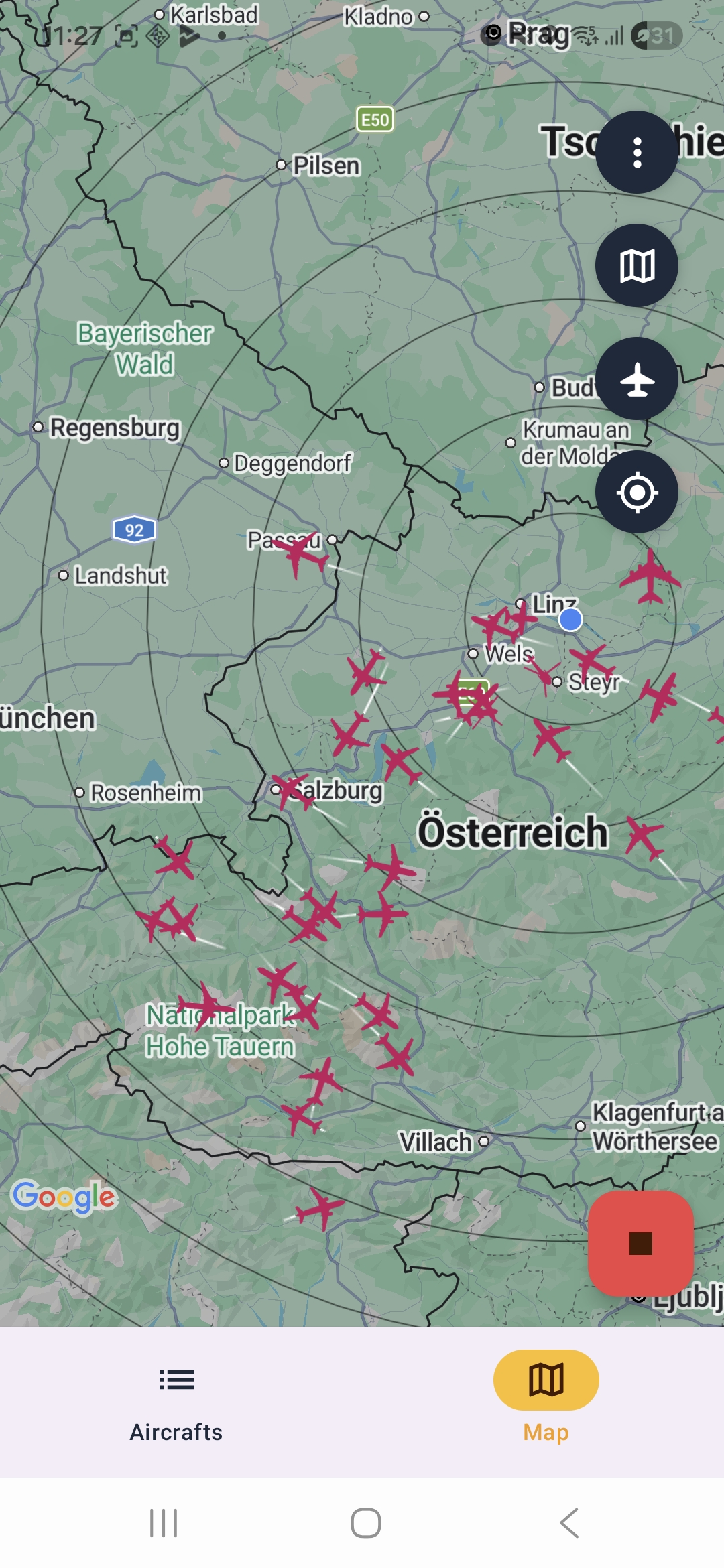
The Map tab shows a full-screen Google Maps view with a live aircraft layer on top. The map stays loaded when switching between tabs, so there is no reload delay when returning to the map.
Each aircraft is shown as a coloured icon that rotates with the aircraft heading. Marker shapes reflect aircraft categories such as airliners, helicopters, general aviation, military aircraft, and more.
When an aircraft is selected, Dump1090 highlights it and displays its Flight Trail using up to 30 recent position points as a breadcrumb path on the map.
Map Settings
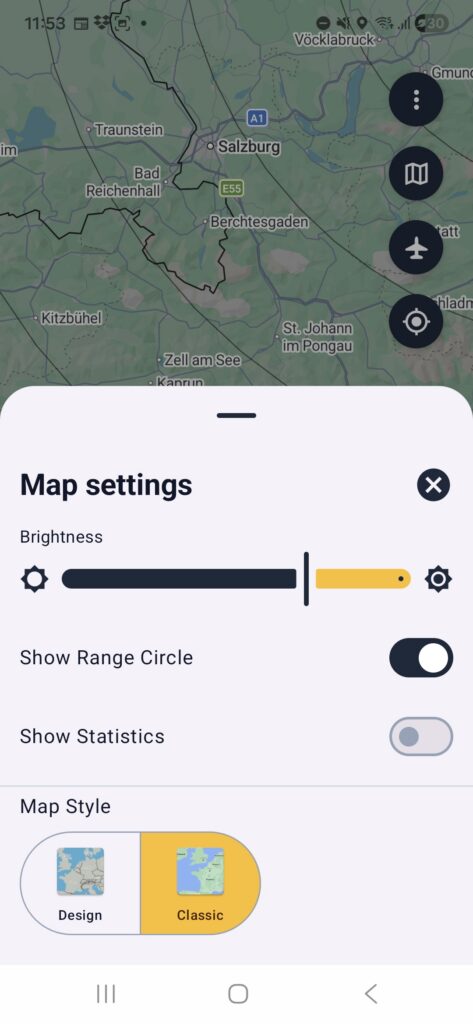
- Brightness — dims the map background with a semi-transparent overlay.
- Range circles — draws 10 concentric range circles around your GPS position at 20 NM intervals from 20 NM to 200 NM.
- Statistics overlay — shows aircraft count, session maximum, current range, and maximum range.
- Map styles — choose between Design and Classic.
Aircraft Detail Panel on the Map
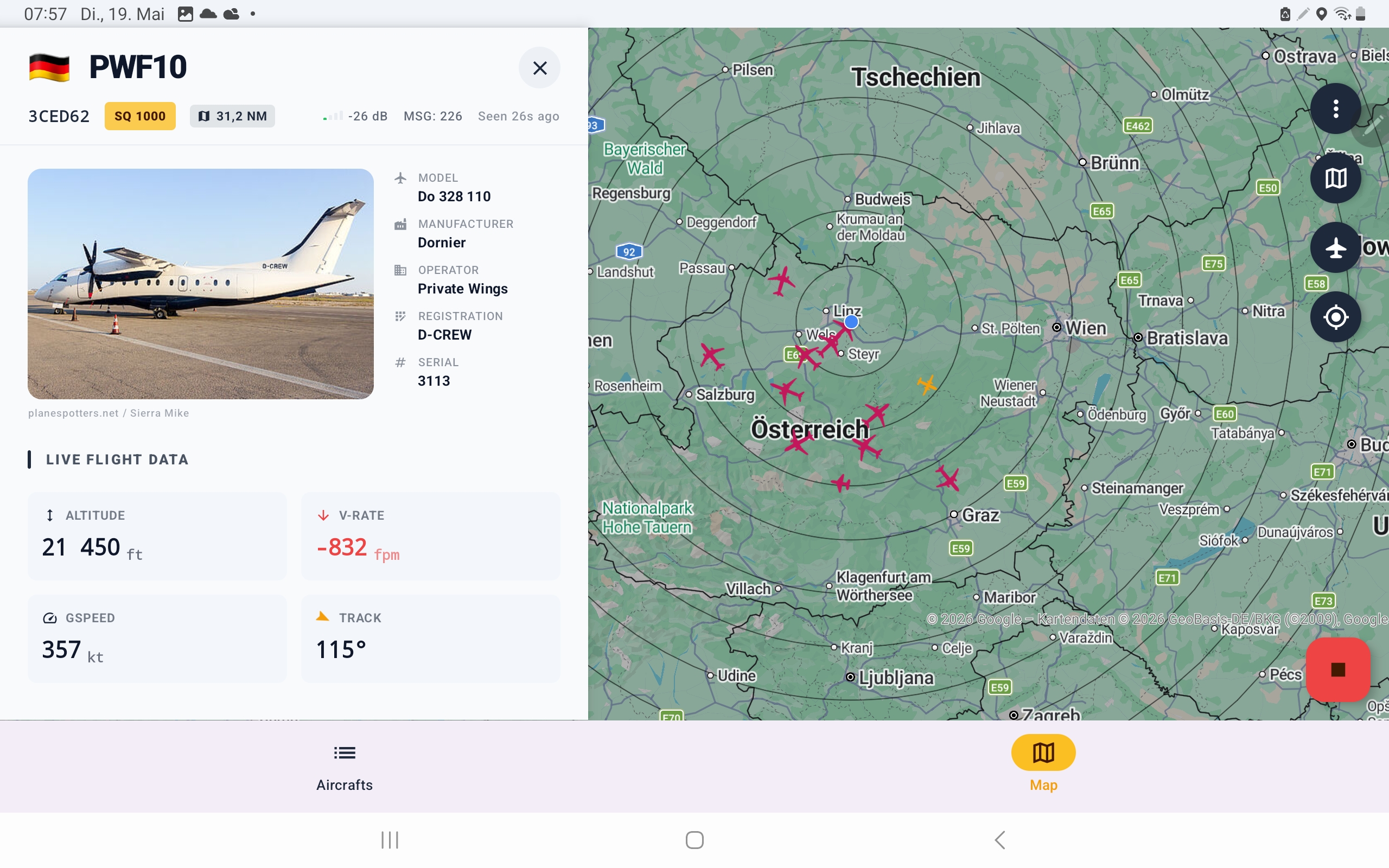
Tapping an aircraft marker opens the aircraft detail panel. On phones, this appears as a swipeable bottom sheet. On tablets in landscape mode, the detail panel slides in from the left side, keeping the map visible.
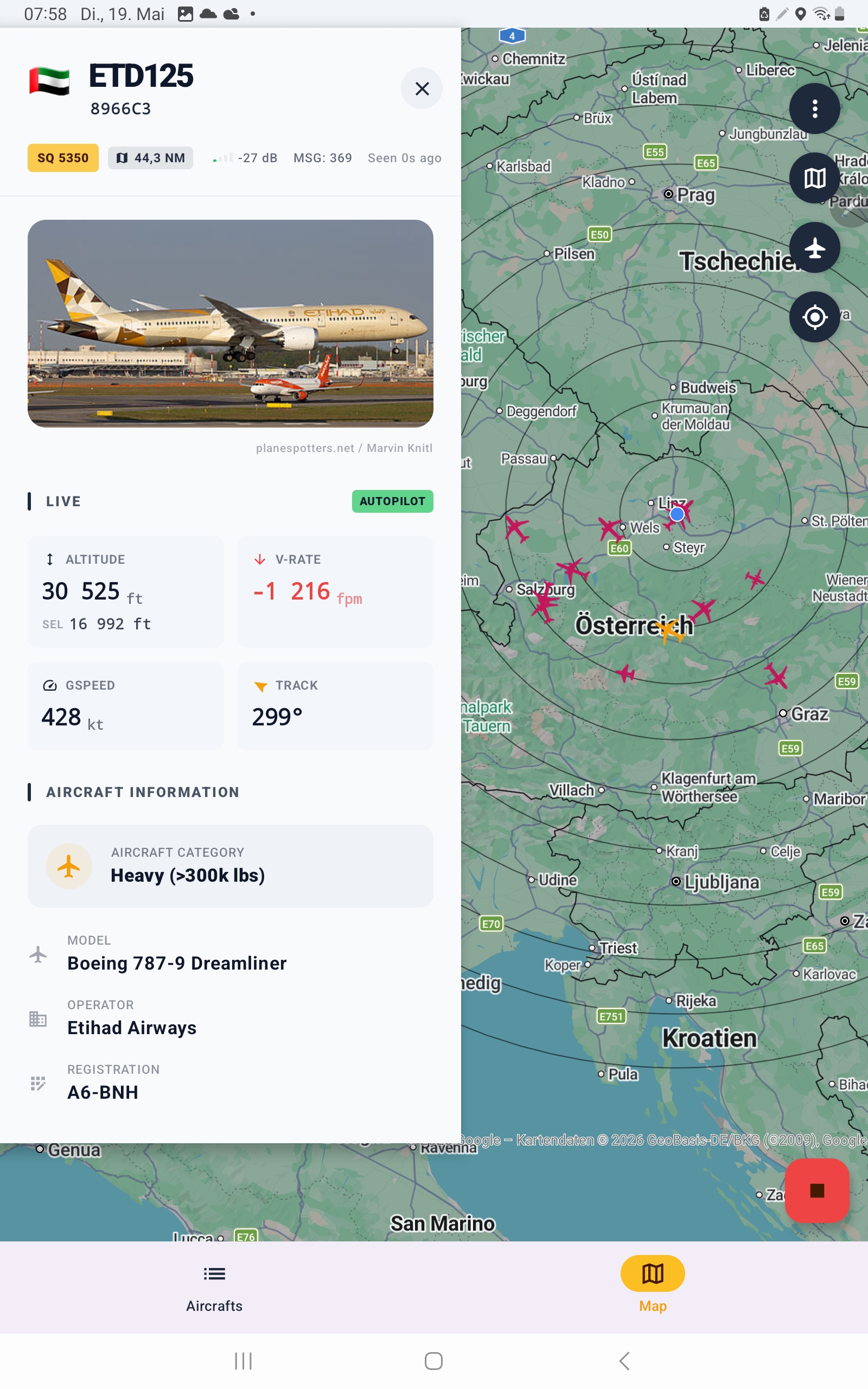
- Country flag, callsign, and ICAO hex code
- Aircraft photo from Planespotters.net
- ALT, SPEED, HDG, DIST, SQUAWK, TYPE, MANUF, and OWNER fields
- Close button to deselect the aircraft
Export ADS-B Data
Dump1090 can forward decoded ADS-B data to other apps, devices, or online feeders in real time. Export workers run in the background foreground service, so data can continue flowing even when the screen is locked.
Configure exports in Settings → Export.
TCP Servers — Let Other Devices Connect to Your Phone
| Format | Description | Typical Use |
|---|---|---|
| Beast Binary | FlightAware Beast binary frame format with MLAT timestamps. | VirtualRadarServer, Mode-S Beast clients, dump1090 relay. |
| AVR Hex | ASCII hex frame format, for example *8D3C6544.... | SkyView, legacy SDR tools, custom scripts. |
| BaseStation / SBS-1 | CSV text format used by Kinetic Avionics BaseStation software. | PlanePlotter, VirtualRadarServer, ADSBScope. |
TCP Client — Feed an Online Aggregator
The TCP client lets your phone connect outward to a remote server and stream your decoded ADS-B data. This can be used for services such as ADSBHub, FlightRadar24 custom feeder ports, or your own server.
- Hostname — remote server address, for example
feed.adsbhub.org. - Port — remote server port, for example
5001. - Format — Beast, AVR, or BaseStation.
The client automatically reconnects if the connection drops and sends heartbeat messages to keep the connection alive.
File Export
Dump1090 can write decoded messages to a local file in BaseStation/SBS-1 CSV format.
- File Export — enables writing to a local file in the app’s external storage directory.
- Reduce Data — saves only position messages,
MSG,3, by default to reduce file size.
On Android 13+, enabling export requires notification permission so the foreground service notification is visible as required by Android.
Battery Optimization
Starting with Android 6 Marshmallow, many Android devices aggressively stop background apps to save battery. This can interrupt Dump1090 export or stop rtl_tcp_andro while receiving in the background.
Dump1090 includes a built-in Battery Optimisation dialog, available from the overflow menu, that shows the current whitelist status and provides a shortcut to system battery settings.
How to Whitelist Dump1090 and rtl_tcp_andro
- Open the Dump1090 overflow menu.
- Go to Info: Export.
- Tap WHITELIST.
- In Android battery settings, select Dump1090 → Battery → Unrestricted or Not optimised, depending on your Android version.
- Repeat the same process for rtl_tcp_andro / RTL-SDR Driver.
Tip: If export works while the screen is on but stops when the screen turns off, battery optimization is almost certainly the cause.
For device-specific help, visit dontkillmyapp.com.
Settings Reference
Open the full settings screen from Overflow menu → Settings. Dump1090 includes three full settings sections: Device, Dongle, and Export. Two quick-access setting sheets are also available directly on the map screen.
Device Settings
| Setting | Default | Description |
|---|---|---|
| Keep Screen On | On | Prevents the screen from timing out while the app is open. |
| Override Device Location | Off | Replaces your real GPS position with fixed mock coordinates. |
| Mock Latitude | 0.0 | Latitude in decimal degrees for the mock position. |
| Mock Longitude | 0.0 | Longitude in decimal degrees for the mock position. |
Dongle Settings
| Setting | Default | Description |
|---|---|---|
| PPM Offset | 0 | Frequency correction for RTL-SDR oscillator drift. Range: −300 to +300 PPM. |
| Tuner Gain | Auto / −100 | Controls tuner gain. −100 means automatic gain control. |
| Bias-T Power | Off | Provides 4.5 V DC on the SMA connector for an active antenna or LNA. Only supported on RTL-SDR Blog V3 and V4 dongles. |
Important: Leave Bias-T off for passive antennas. Enabling Bias-T on incompatible hardware can damage the dongle.
Export Settings
| Setting | Default | Description |
|---|---|---|
| Beast TCP Server | Off | Starts a local TCP server in Beast binary format. |
| AVR TCP Server | Off | Starts a local TCP server in AVR hex format. |
| BaseStation TCP Server | Off | Starts a local TCP server in SBS-1 CSV format. |
| TCP Client | Off | Enables outbound connection to a remote feeder server. |
| Port | 5001 | Remote server port. ADSBHub default is 5001. |
| Format | Beast | Output stream format: Beast, AVR, or BaseStation. |
| File Export | Off | Writes decoded messages to a local BaseStation CSV file. |
| Reduce Data | On | Saves only position messages to keep file size small. |
Map and General Settings
| Setting | Description |
|---|---|
| Brightness | Slider from 0–100. Adds a semi-transparent overlay on the map. |
| Range Circle | Shows 10 rings around your position at 20 NM intervals. |
| Map Style | Choose Design or Classic. |
| Show Statistics | Shows or hides aircraft count and max range overlay. |
| Units | Toggle between Imperial and Metric units. |
| Show Flight Trail | Enables or disables breadcrumb trail for the selected aircraft. |
| Aircraft List Timeout | Slider from 60s to 600s. Controls how long aircraft remain in the list. |
| Map Aircraft Timeout | Slider from 60s to 600s. Controls how long aircraft remain on the map. |
Troubleshooting
| Problem | Likely Cause | Fix |
|---|---|---|
| No aircraft appear | Dongle not sending data or poor antenna view | Check the RCV indicator. If grey, make sure rtl_tcp_andro is running and the dongle is connected. If green but no aircraft appear, move the antenna to a window or outside. |
| Export stops when the screen turns off | Android battery optimization | Whitelist both Dump1090 and rtl_tcp_andro. |
| rtl_tcp_andro shows “Wrong arguments were supplied!” | A previous session may still be holding the internal network port | Close both apps, wait a few seconds, force stop RTL-SDR Driver if needed, or restart the device. |
| Short reception range | Indoor antenna or poor line-of-sight | Use a dedicated 1090 MHz antenna and place it higher with a clearer sky view. |
| Bias-T does not work | Unsupported dongle or incompatible LNA setup | Bias-T only works on RTL-SDR Blog V3 and V4 dongles. Check that your LNA uses 4.5 V. |
| Distance is not shown | No GPS fix or no aircraft position | Grant location permission and wait for aircraft position messages. |
Frequently Asked Questions
The app shows no aircraft. What is wrong?
Check the RCV indicator in the status bar. If it is grey, the dongle is not sending data. Make sure rtl_tcp_andro is running and the RTL-SDR dongle is properly connected. Try unplugging and reconnecting the OTG cable, then restart both apps. If RCV is green but no aircraft appear, your antenna may have a poor view of the sky — try moving it to a window or outside.
rtl_tcp_andro keeps stopping in the background. How do I fix it?
This is usually caused by Android battery optimization. Whitelist both Dump1090 and rtl_tcp_andro / RTL-SDR Driver in your device battery settings. If export works while the screen is on but stops when the screen turns off, battery optimization is almost certainly the cause.
For device-specific help, visit dontkillmyapp.com.
What do the coloured squawk codes mean?
The standard emergency squawk codes are 7500 for aircraft hijacking, 7600 for radio failure, and 7700 for a general emergency. Dump1090 highlights these codes so they stand out in the aircraft list.
I get “Wrong arguments were supplied!” when starting the RTL-SDR driver. What should I do?
Despite the message, this does not usually mean your settings are wrong. It often happens when a previous RTL-SDR Driver session did not shut down cleanly and is still holding the internal network port.
- Close both Dump1090 and RTL-SDR Driver completely.
- Wait a few seconds, then reopen the apps and try again.
- If it still fails, go to Android Settings → Apps → RTL-SDR Driver → Force Stop, then try again.
- As a last resort, restart your Android device.
Can I use Dump1090 without an RTL-SDR dongle?
No. Dump1090 requires an RTL-SDR receiver to decode live ADS-B signals. There is no built-in demo or replay mode.
What range can I expect?
With a basic whip antenna indoors, you may see aircraft within 50–100 km. With a dedicated 1090 MHz ADS-B antenna on a clear rooftop, 200–400 km or more may be possible. Range is mainly limited by line-of-sight, so higher antenna placement usually performs better.
Does Dump1090 work on tablets?
Yes. Tablets running Android 6.0+ are supported. In landscape orientation, tablets get an enhanced layout with a 2-column aircraft list and a side panel for aircraft details.
How do I feed ADSBHub?
- Register a free account on adsbhub.org.
- In Dump1090, open Settings → Export.
- Enable TCP Client.
- Set Hostname to
feed.adsbhub.org. - Set Port to
5001. - Set Format to
Beast. - Start the receiver. Your data should appear on the ADSBHub map within a few minutes.
Bias-T does not seem to work. Why?
Bias-T is only supported on RTL-SDR Blog V3 and V4 dongles. It will not work on generic RTL2832U sticks. If you have a V3/V4 dongle and it still does not power your LNA, check that the LNA operating voltage is 4.5 V and that no bias-T blocking capacitor is in the coax.
What is the difference between the two map styles?
The Design style is a custom aviation-themed map that reduces visual noise from road labels and commercial points of interest. The Classic style is the standard Google Maps appearance. Both support brightness adjustment.
Does the app require an internet connection?
No. Receiving, decoding, and displaying aircraft works offline. Internet is only used for optional features such as aircraft photo lookup via Planespotters.net, registration data, and TCP client export to online feeders.
Ready to Track Aircraft?
Download Dump1090 for Android for free on Google Play and start receiving live ADS-B traffic in minutes.

Hello developers, thanks for your contribution for V2, I’d like to raise a request if you are able to add text label for each aircraft in the map view like callsign, type, altitude and etc..
Hi, it is implemented. Try to update the app. Curious about your opinion.
Dump 1090 TCP disconnection when the app switches to background will happen on some of android phones, while its battery optimization has selected Unrestricted.
You mean Export function ? Or tcp connection to driver app ? – driver app needs also to be on battery white list