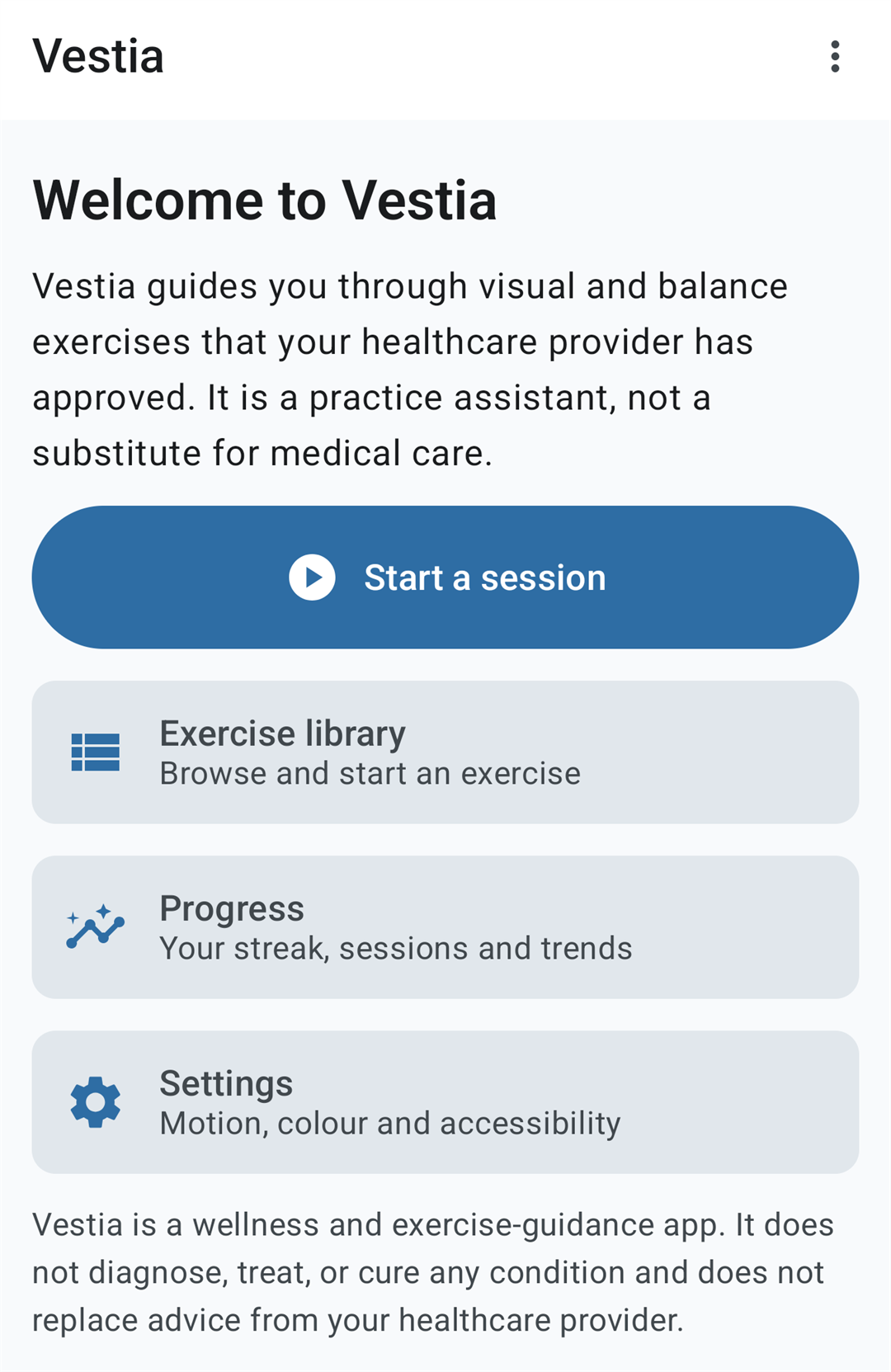
A calm practice assistant for visual and vestibular exercises. Vestia guides you through the exercises your healthcare provider has approved — at your own pace, entirely on your own device.
Works fully offline · No account · No ads, no analytics, no tracking · One-time purchase, no subscription · Android 10 or newer · English & German · Version 1.0
Vestia is a wellness and exercise-guidance app. It does not diagnose, treat, or cure any condition and does not replace advice from your healthcare provider. Only do exercises and sessions a provider has approved for you.
On this page
- What Vestia is — and what it is not
- Safety comes first
- The exercises
- Guided sessions
- Build your own session
- The before/after symptom check
- Progress and statistics
- Accessibility
- Privacy: your data stays on your phone
- Requirements
- Free and Premium
- Frequently asked questions
- Availability
What Vestia is — and what it is not
Vestia is a wellness and exercise-guidance app for Android. It helps adults carry out visual and vestibular exercises of the kind commonly used in vestibular rehabilitation — the sort of practice that people living with ongoing dizziness or unsteadiness, including Persistent Postural-Perceptual Dizziness (PPPD), are often asked to do at home.
Doing those exercises at home is awkward. You need something to look at, something to time you, and something to stop instantly when you have had enough. A phone screen can be all three. That is the whole idea behind Vestia: it is the practice assistant, not the plan. Your provider decides what you should do; Vestia helps you actually do it.
What it does
- Draws a steady, timed visual target to work with
- Explains each exercise in plain language before it starts
- Runs a sequence hands-free, so you are not tapping a screen while dizzy
- Stops instantly, always, from one big button
- Keeps a record of what you did and how you felt, for you to look at
What it does not do
- It does not diagnose anything
- It does not claim to treat or cure any condition
- It does not decide what you should be doing, or how much
- It does not read your symptom scores and change your exercises
- It does not replace your healthcare provider
That second list is deliberate, and some of it was harder to leave out than to put in. Vestia has no levels, no unlocking, no “you are ready for the next stage”, and nothing that reads your symptom scores to pick or shorten a session. Those things would mean the app was making decisions about your care. It is not qualified to, and it does not try.
Safety comes first
Moving, high-contrast patterns on a bright screen are not harmless. People who use this kind of app are frequently symptomatic while they use it, and a small number of people are photosensitive. So in Vestia, safety is not a feature that sits in a settings menu — it is a set of hard limits built into the app.
A hard cap of three flashes per second
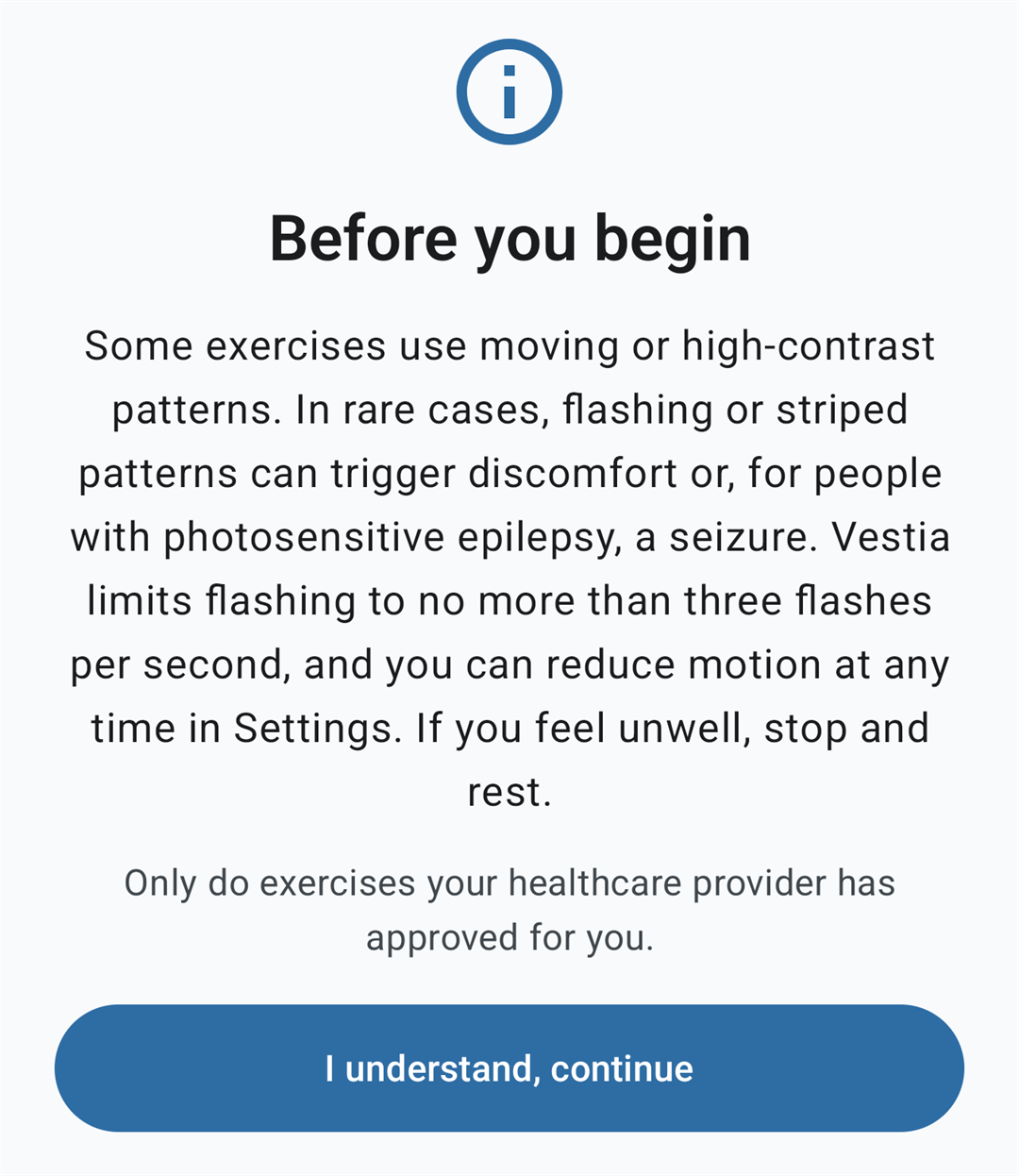
Every flashing or alternating high-contrast pattern in the app is capped at no more than three flashes per second, the threshold set by WCAG 2.3.1 (Three Flashes or Below Threshold). This is a single constant enforced app-wide, not a preference you can raise — no screen can drift past it, and there is a runtime guard that checks the rate while an exercise is playing.
A photosensitivity warning you see before anything moves
The first thing Vestia shows you, on first launch, is a warning — not a splash screen, not a sign-up form. It appears again before any exercise that flashes.
An Emergency Stop that is always there
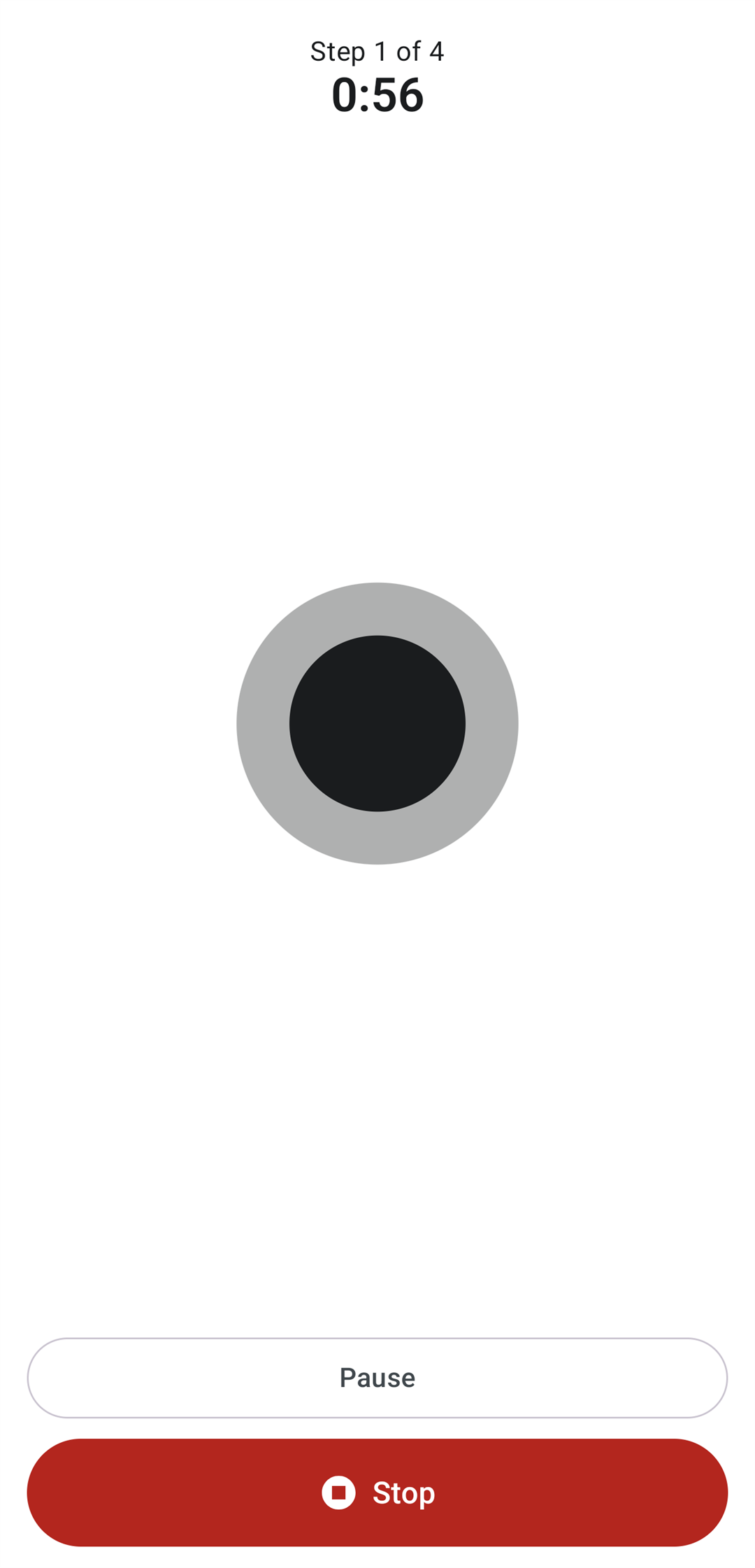
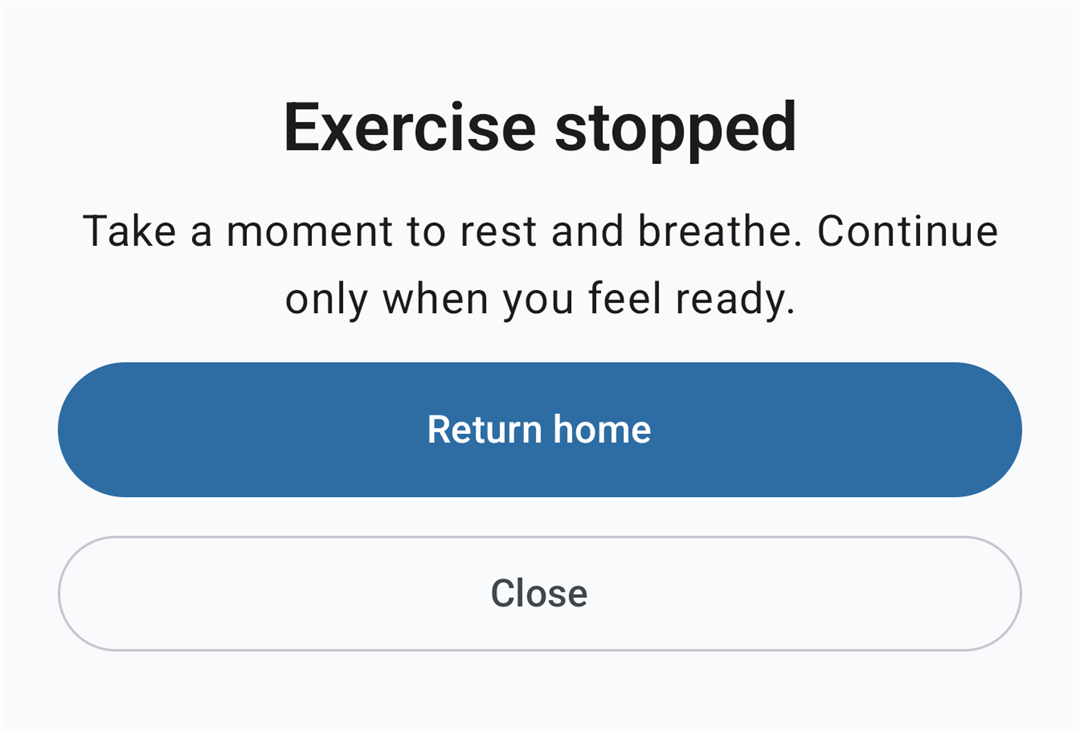
While an exercise is running, a large, high-contrast Stop button is visible at all times, low on the screen so it is reachable one-handed. Pressing it halts the animation, the sound and the vibration immediately and returns you to a calm, still screen — no summary to dismiss, no “are you sure”, no animation still playing behind a dialog.
And the quieter details
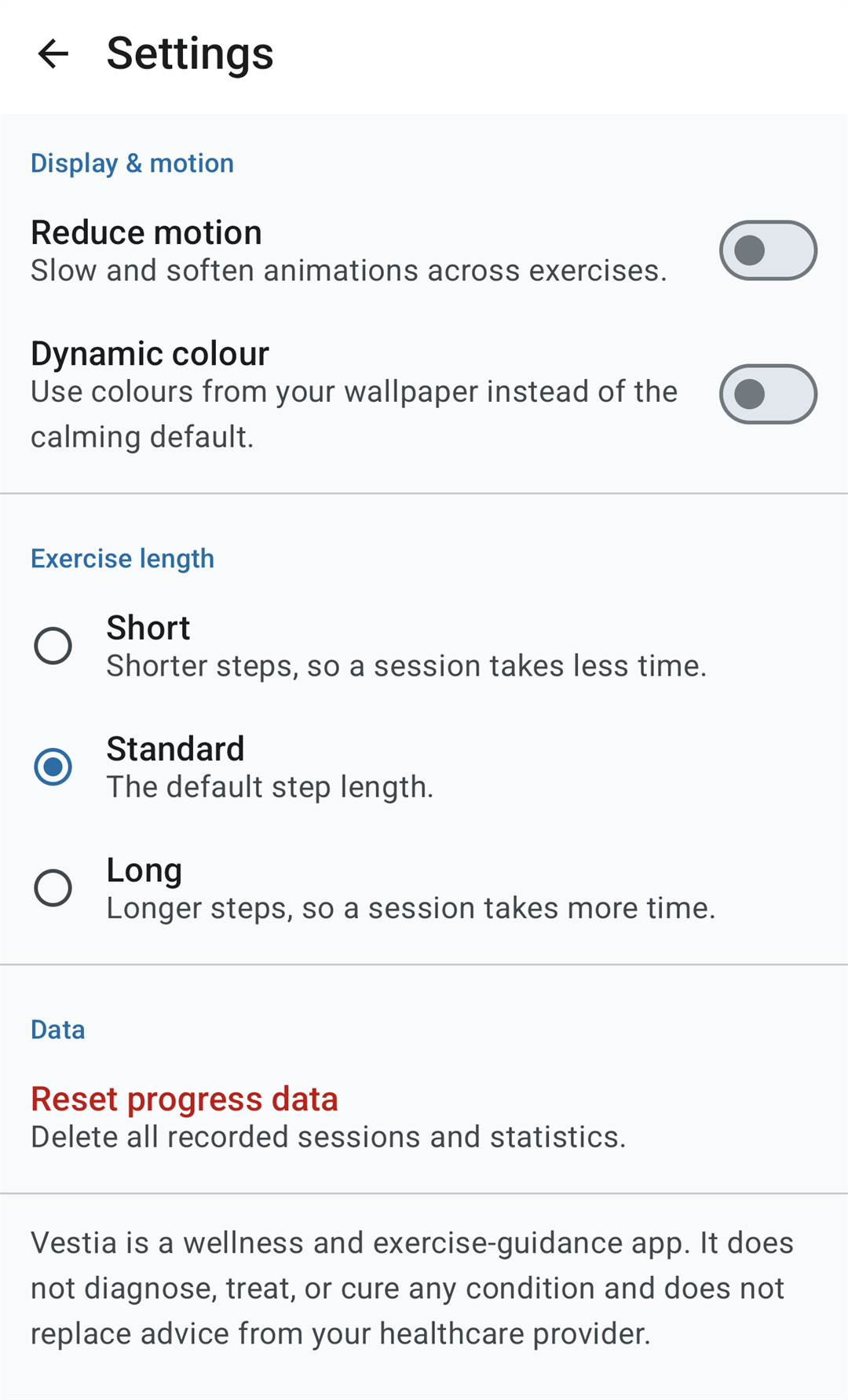
- Reduce motion — turn it on and the app slows and softens animation throughout. The strongest whole-screen patterns, including the flashing one, are left out of a session entirely rather than merely slowed, and the session’s intensity label drops to match. Vestia also honours the system-wide “remove animations” setting.
- A reminder before every session, acknowledged each time — not once at install and never again.
- A one-time note before your first Strong session, explaining that patterns filling the screen, or moving your head while staying on a moving target, can feel intense.
- The screen stays awake during an exercise — but not while paused. If you put the phone down mid-session, it is allowed to go to sleep like any other phone.
- Motion is driven by elapsed time, not frame count, so an exercise runs at the same speed on a 60 Hz screen as on a 120 Hz one.
- Nothing animates, counts down or completes off screen, and no cue is ever the only way to know what is happening.
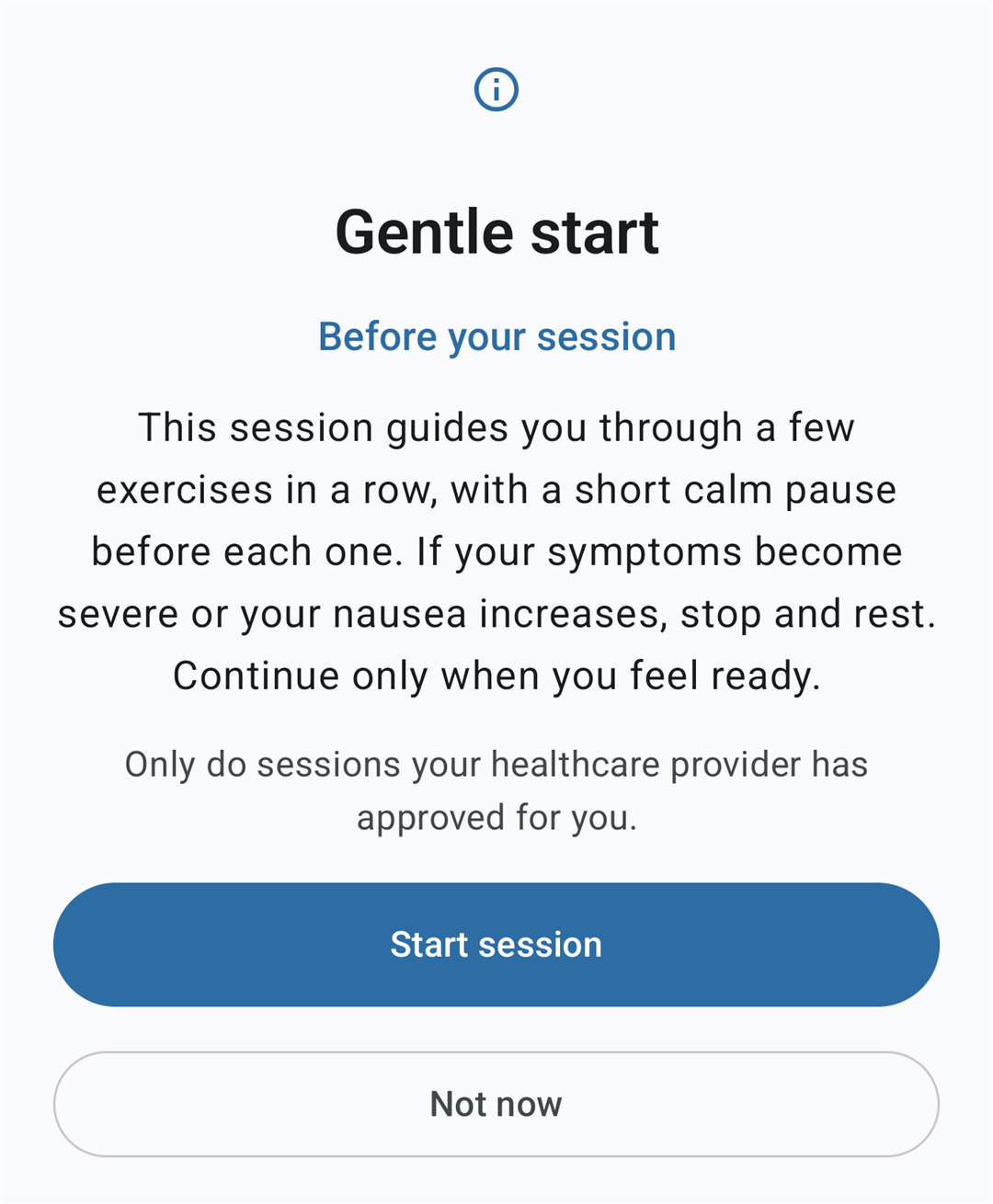
None of this is behind the paywall. The Emergency Stop, the photosensitivity warnings, the flash-rate limit, Reduce motion and the pre-session reminder all behave identically whether or not you have bought Premium. Charging for a safety feature would be indefensible.
The exercises
Fifteen exercises across ten types. Each one opens with a plain-language explanation, and each is described neutrally — these are techniques commonly used in vestibular rehabilitation, presented as practice material rather than as a remedy for anything.
Eye movement, head still
- Horizontal and vertical smooth pursuit — “Follow the moving dot smoothly with your eyes while keeping your head still. Move only your eyes.”
- Horizontal, vertical and diagonal saccades — “Two targets appear and the highlighted one alternates. Flick your gaze quickly from one to the other, keeping your head still.”
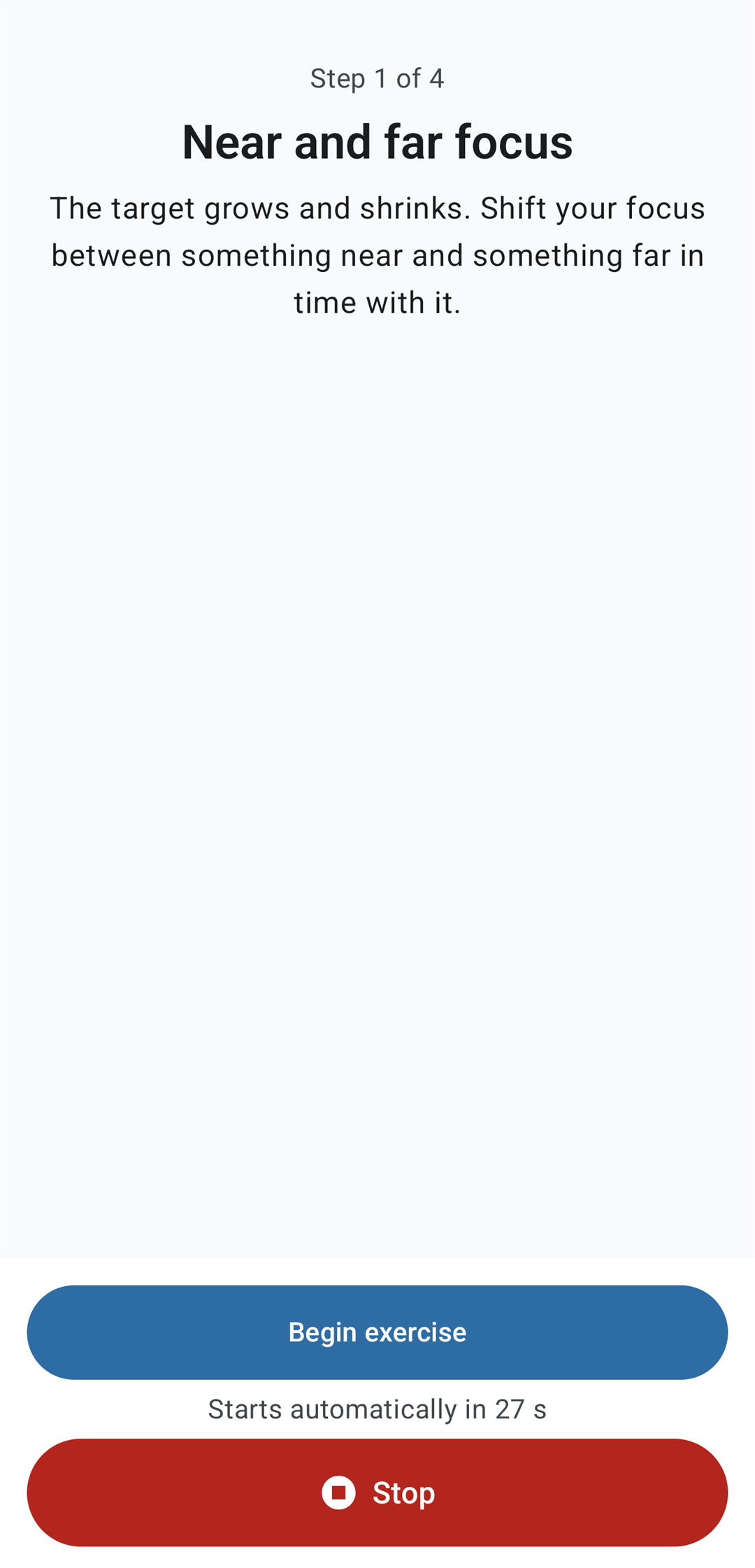
- Near and far focus — “The target grows and shrinks. Shift your focus between something near and something far in time with it.”
Gaze stabilization, head moving
- VOR ×1, horizontal and vertical — “Keep your eyes fixed on the stationary target while gently turning your head from side to side. The target stays still — your head does the moving.”
- VOR ×2, horizontal and vertical — “Keep your eyes on the target while it slides one way and you gently turn your head the other way. Both are moving — stay on the target.” VOR ×2 counts as strong stimulation, so Reduce motion takes it out of a session automatically.
Whole-screen visual motion
- Optokinetic stripes — “Let your gaze rest softly while the stripes drift across the screen. Keep your head still and breathe calmly.”
- Expanding circles — “Rest your gaze on the centre while rings expand gently outward.”
- Floating dots — “Let the dots drift gently across the screen and keep a soft, relaxed gaze.”
- Rotating spiral — “Watch the slowly turning spiral with a soft gaze. If you feel dizzy, pause and rest.”
- Checkerboard (pattern reversal) — “The squares swap between light and dark at a safe, limited rate. Keep a soft gaze on the centre. Because this pattern flashes, a safety reminder is shown first.” This is the only exercise in the app that flashes, and it is marked as such wherever it appears.
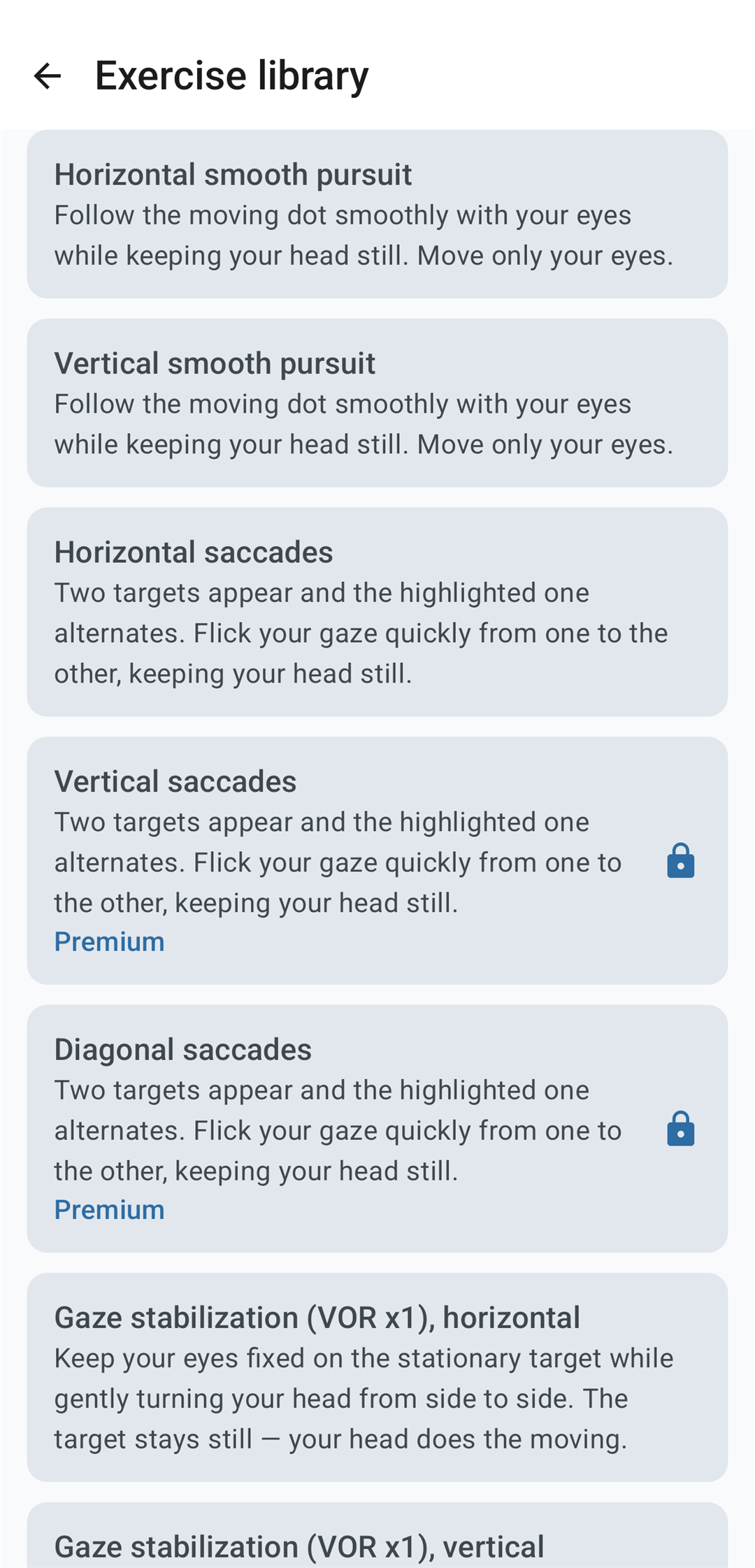
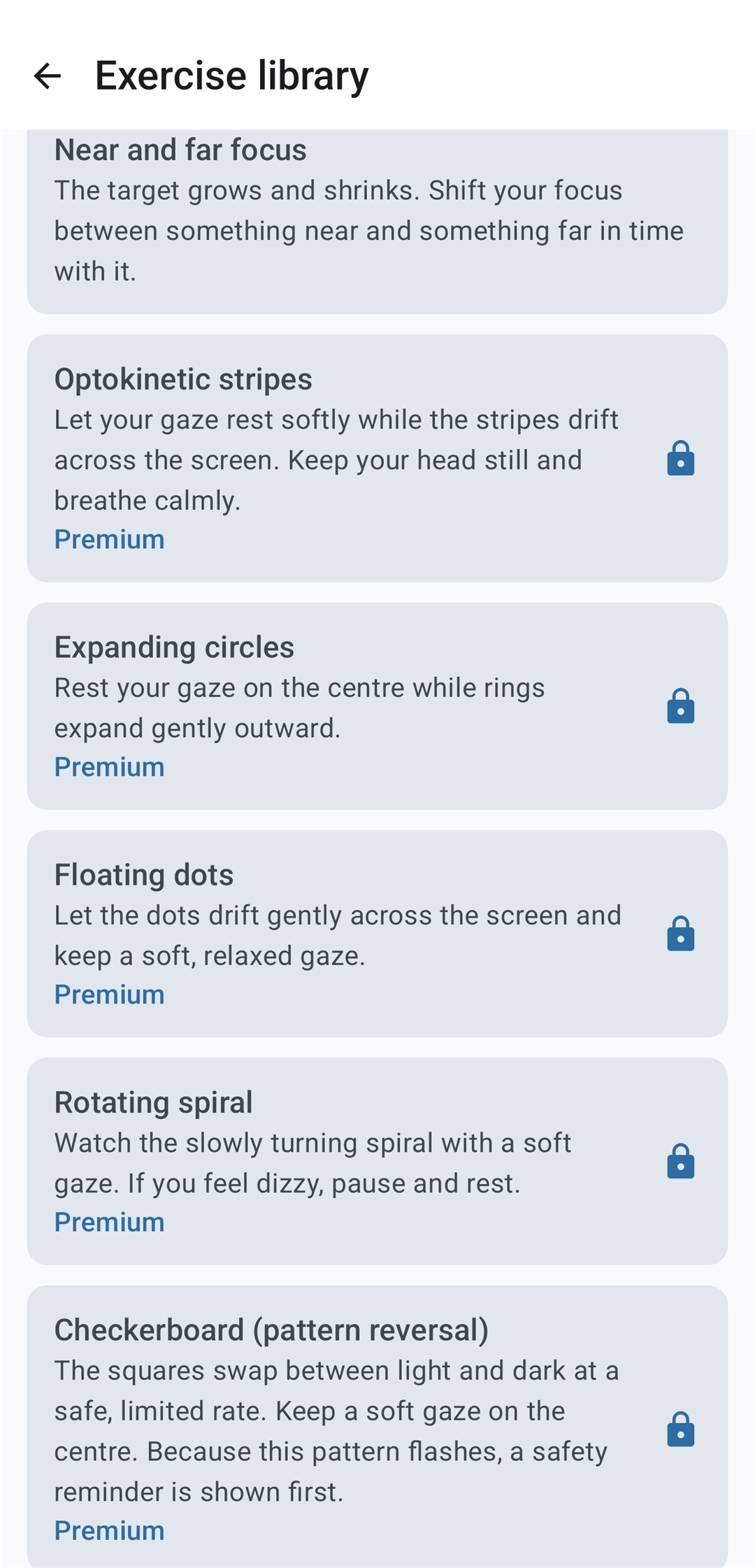
Opened on its own from the library, an exercise gives you the countdown, pause, resume and restart, plus adjustable duration — and, with Premium, speed, size, contrast and colour. Your choices are remembered per exercise, so the way you like a particular one is still set the next time you open it.
Two exercises you might expect are deliberately absent. Balance work with visual fixation is not included: the part on screen would only be a dot, while the real exercise is standing posture the app cannot see, and it carries a fall risk that a photosensitivity warning does not begin to cover. Motion-sensitivity habituation — a protocol of repeated movements intended to provoke symptoms — is not included either. Both would need a considered product and regulatory decision rather than a quiet release.
Guided sessions
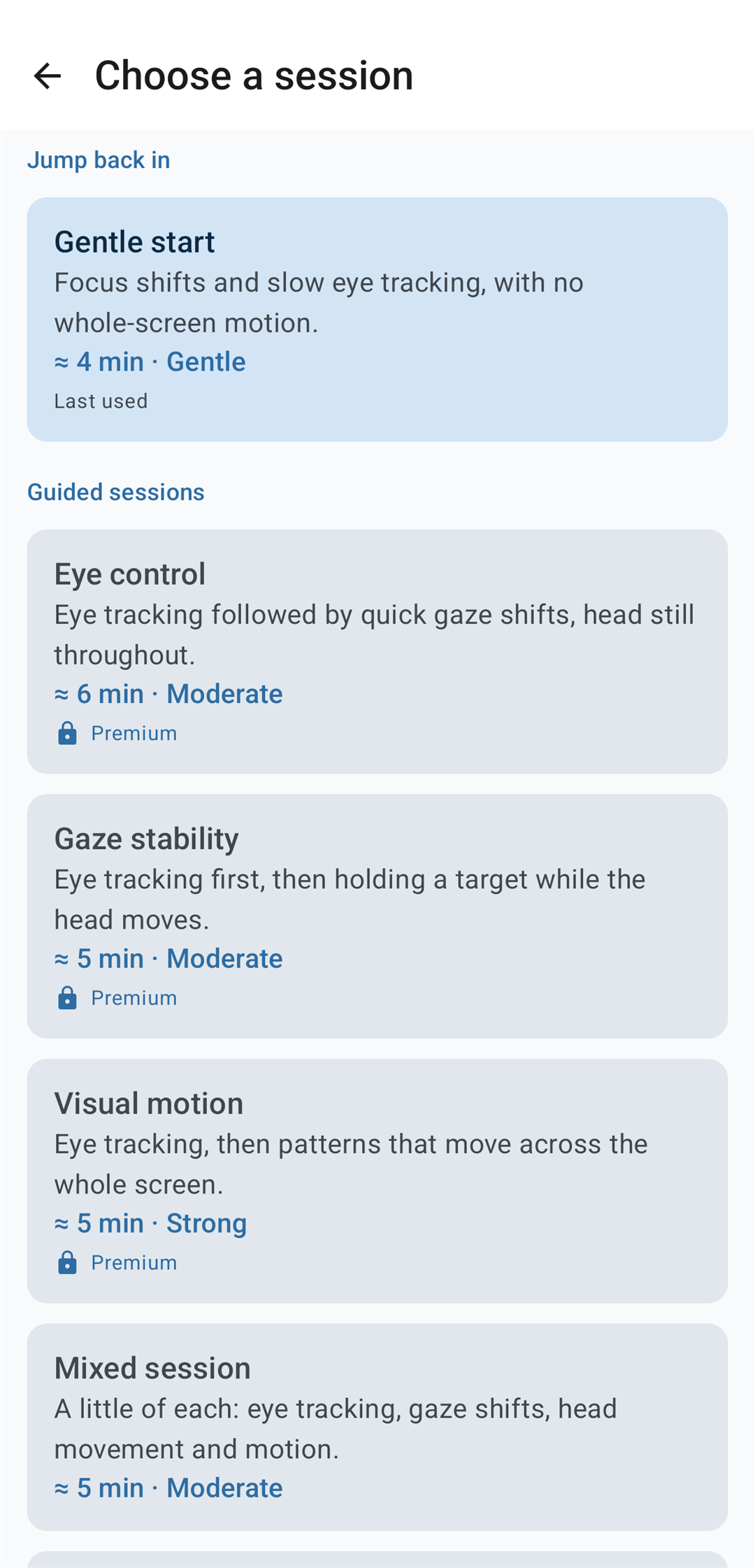
A session strings several exercises together and runs hands-free, with a short calm pause before each one. There are six to choose from. Every card tells you roughly how long it takes, how stimulating it is, and whether it contains a flashing pattern.
| Session | What it contains | Intensity |
|---|---|---|
| Gentle start | Focus shifts and slow eye tracking, with no whole-screen motion. | Gentle |
| Eye control | Eye tracking followed by quick gaze shifts, head still throughout. | Moderate |
| Gaze stability | Eye tracking first, then holding a target while the head moves. | Moderate |
| Visual motion | Eye tracking, then patterns that move across the whole screen. | Strong |
| Mixed session | A little of each: eye tracking, gaze shifts, head movement and motion. | Moderate |
| Advanced | The longest sequence, with the strongest whole-screen motion. | Strong |
How a session is put together
This is the part that took the most care, and it is worth explaining, because “we shuffle some exercises” would not be good enough for an app people use while dizzy.
Sessions are assembled from data by a set of rules and then checked against those same rules before they run. The sequence varies a little from one session to the next so you are not doing exactly the same thing every time — but that variation comes from a stored rotation counter, never from a random number, so a session is reproducible and testable rather than a surprise.
The rules that apply to everyone, every time:
- A session opens calmly, never on its most demanding exercise.
- No two high-load exercises sit next to each other; a calmer one is placed between them.
- There is a cap on how many strongly stimulating exercises a single session can contain.
- A calm cool-down is always appended, so a session never ends on its hardest step.
- With Reduce motion on, high-load exercises are removed altogether and the intensity label drops to match.
- Eye exercises come first, then head-movement exercises, then whole-screen motion.
One consequence is worth calling out: the duration and the intensity label on each card are calculated from the finished sequence, not typed in by hand. A card physically cannot advertise something gentler or shorter than what is about to play.
Build your own session
With Premium you can build your own sequence: name it, pick exercises from the library, set how long each runs, and reorder them by dragging or with up/down buttons. The projected length and intensity update as you edit, so you can see the effect of a change before you save it.
The same safety rules still apply — but here the app tells you what it changed and asks you to confirm, rather than quietly rewriting your work. If it adds a calm exercise at the end, or between two strong ones, it says so. If your ordering differs from the convention the guided sessions use, it mentions that without stopping you: your session plays the way you wrote it.
The limits: 3 to 10 exercises, up to 20 minutes, at most 2 strongly stimulating exercises, a title of up to 60 characters and an optional note of up to 200. Your sessions live on your device, can be duplicated and deleted, and deleting one leaves the sessions you already completed intact in your history.
The before/after symptom check
Before a session, Vestia asks how your symptoms feel on a 0–10 scale. After the session, it asks again. That is it — two numbers, recorded next to the session you did.
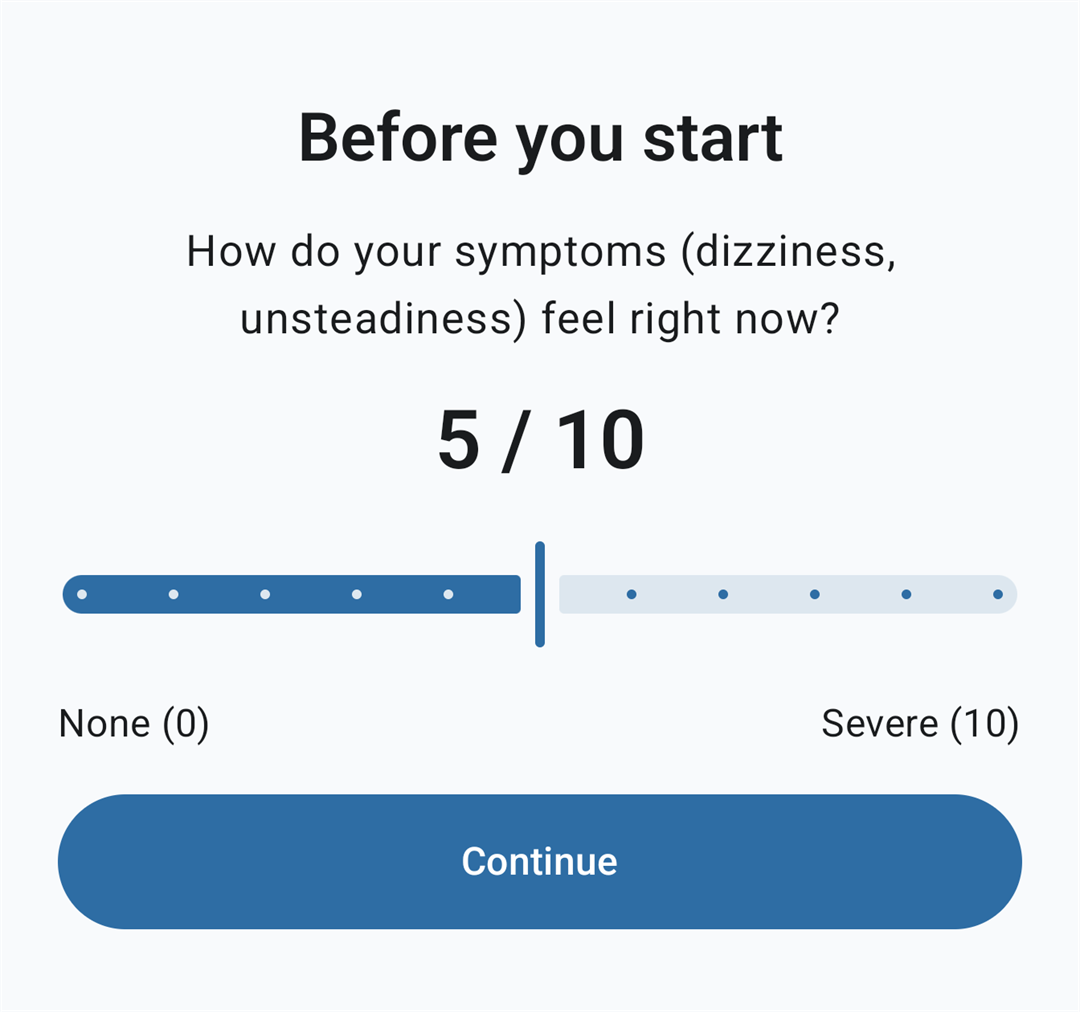
Two things about it matter more than the feature itself.
The scores are for you, and only for you. Nothing in the app reads them to select a session, gate one, shorten one, adapt one or recommend one. That is a deliberate limit, not an unfinished feature: an app that changed your exercises based on your symptoms would be making a decision about an individual person’s care, and Vestia does not do that. The numbers are there so that you — and, if you choose to show them, your provider — can look at them.
The “after” question comes after the cool-down, not the moment the hardest exercise ends. Since a calm exercise is always the last step, nobody is held on a rating screen while they still feel provoked.
Progress and statistics
Your day streak, the number of days you have practised, your total sessions, your average symptom scores before and after, and a weekly or monthly bar chart of completed sessions.
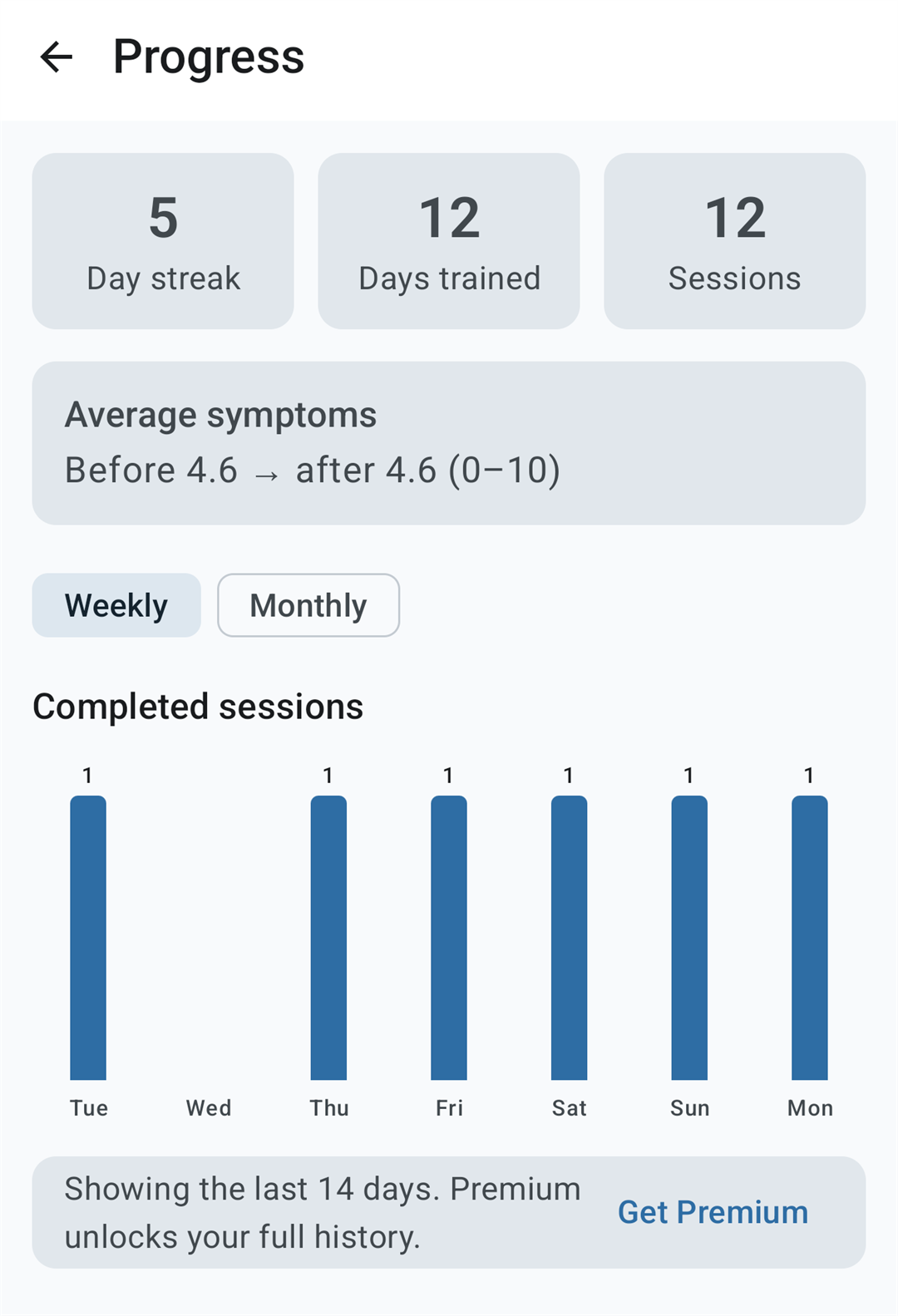
It is a record of what you did, nothing more. Vestia does not score you, rank you, set you targets or tell you what the numbers mean. The free version shows the last 14 days; Premium keeps the full history. You can also erase the whole record at any time from Settings.
Accessibility
Most people opening Vestia are, by definition, not at their best. The interface is built for that.
- Larger type than the Android default, with generous line spacing, and full support for the system font-size setting.
- TalkBack labels on every control, text contrast of at least 4.5:1, and touch targets of at least 48 dp.
- One-handed reach. The controls that matter — above all Stop — sit low on the screen.
- A calm palette by default: soft, muted blues and near-whites rather than saturated colour, chosen to be easier on light-sensitive eyes. Using your wallpaper colours instead is possible, but off by default.
- A low-glare dark theme. Its background is a soft charcoal rather than pure black, which avoids the harsh halo effect that pure black plus bright text produces.
- Full German and English — every string, including all the safety text.
Privacy: your data stays on your phone
Symptom scores are sensitive. Vestia’s answer to that is not a policy promise — it is that the app has no way to send them anywhere.
Vestia does not request internet permission at all. It asks Android for exactly one permission — vibration, for the small haptic tick at the start of an exercise. That is the entire list.
- No account. Nothing to sign up for, no email address, no login.
- No analytics, no advertising, no crash reporting. There is no third-party tracking SDK in the app.
- Everything on device. Your settings, your sessions, your history and your symptom scores are stored locally, using Android’s standard on-device storage. We have no access to any of it.
- Excluded from automatic cloud backup. Your session history and symptom scores are deliberately kept out of Android’s automatic backup, so they are not uploaded to a Google account backup by default. A direct device-to-device transfer to a new phone can still carry them across, like the rest of your data.
- Payment handled by Google. If you buy Premium, Google Play processes it. We never see or store your card details — only whether the purchase completed, so the app can unlock the features.
The full text is in the Vestia privacy policy, and the same policy is readable inside the app without an internet connection.
Requirements
| Platform | Android 10 (API 29) or newer |
| Permissions | Vibration only. No internet, camera, location, microphone, storage or sensor access. |
| Internet | Not required. Only the optional Premium purchase needs a connection. |
| Languages | English, German |
| Themes | Light and dark, following your system setting |
| Extra hardware | None. No wearable, headset or accessory. |
| Version | 1.0 |
Free and Premium
Vestia is free to download and genuinely usable that way. Premium is a single one-time purchase through Google Play — not a subscription, and not a trial that expires.
| Feature | Free | Premium |
|---|---|---|
| Guided session presets | 2 of 6 (Gentle start, Mixed session) | All six |
| Exercise library | 5 starter exercises | All 15 |
| Build your own sessions | — | Yes |
| Progress history | Last 14 days | Full history and charts |
| Exercise duration | Adjustable | Adjustable |
| Speed, size, contrast, colour | — | Adjustable per exercise |
| Emergency Stop, safety warnings, flash-rate limit, Reduce motion | Yes | Yes |
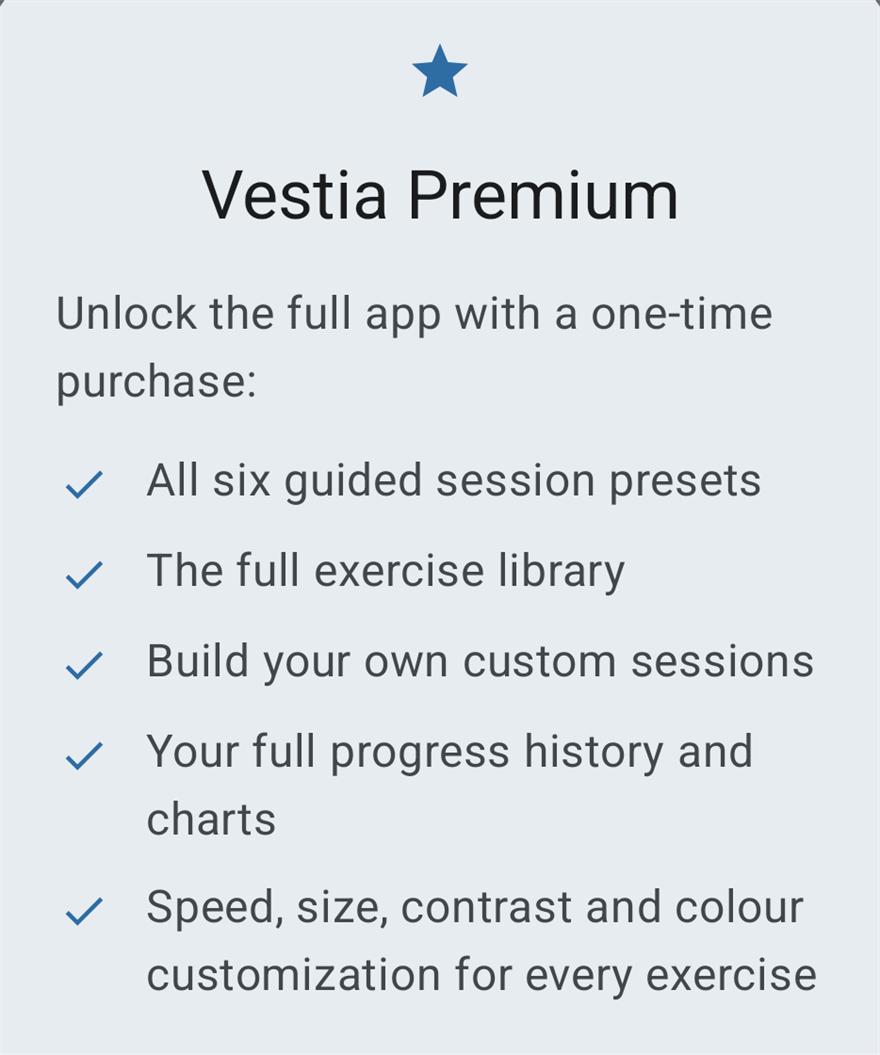
Premium-only content is never hidden from you. It stays in its list with a lock badge, and tapping it explains what upgrading adds rather than silently doing nothing. Purchases can be restored from the menu on the home screen.
Frequently asked questions
Is Vestia a medical device?
No. Vestia is positioned as wellness and exercise guidance, and is intended to stay outside the scope of the EU Medical Device Regulation (EU) 2017/745. It makes no diagnostic or treatment claims and presents no clinical efficacy figures.
Will Vestia help my dizziness or my PPPD?
That is not a claim we will make, and you should be sceptical of any app that does. What Vestia does is help you carry out exercises your healthcare provider has approved for you. Whether those exercises are right for you, and what they may do, is a conversation to have with your provider.
Do I need my provider’s approval to use it?
You should have it. The app says so on first launch and before every session, and it means it: only do exercises and sessions a provider has approved for you. Vestia is the assistant, not the source of the plan.
Does the app adapt to how I am feeling?
No, and that is on purpose. Your symptom scores are recorded for you to look at; nothing reads them to choose, gate, shorten or recommend a session. There is also no automatic progression: no levels, no unlocking, no “you are ready for the next stage”. Deciding how much exercise someone should do is a clinical judgement, not something an app should quietly take over.
I have photosensitive epilepsy. Can I use Vestia?
Please ask your doctor first — that is genuinely the answer, not a formality. For what it is worth on the technical side: Vestia caps all flashing at three flashes per second or below, in line with WCAG 2.3.1; only one exercise in the app flashes at all, and it is labelled everywhere it appears; a photosensitivity warning is shown before it; and turning on Reduce motion removes it from sessions entirely.
Does it work without an internet connection?
Completely. The app does not even request internet permission. On a plane, in a basement, with mobile data off — every exercise, session, setting and statistic works exactly the same. Only the optional Premium purchase, which Google Play handles, needs a connection.
Can you see my symptom scores?
No. They are stored on your device and there is no mechanism in the app to transmit them. They are also excluded from Android’s automatic cloud backup.
Is Premium a subscription?
No. It is a single one-time purchase. Nothing recurs, and nothing expires.
Can I share my history with my physiotherapist or doctor?
Not as a file yet — there is no export or sharing feature in version 1.0. You can show them the Progress screen. If a proper export would be useful to you, we would like to hear it: info@ebctech.eu.
Is there an iPhone version?
Not at the moment. Vestia is an Android app.
Availability
Vestia 1.0 is finished and in preparation for release.
The app itself will be free to download, with the optional one-time Premium purchase described above.
Regulatory note
Vestia is positioned as wellness / exercise guidance and is intended to stay out of EU MDR 2017/745 (medical device) scope. It avoids diagnostic and treatment claims and does not present clinical efficacy figures; exercise techniques are described neutrally as “commonly used in vestibular rehabilitation.” This is not legal advice.
Vestia is a wellness and exercise-guidance app. It does not diagnose, treat, or cure any condition and does not replace advice from your healthcare provider. Only do exercises and sessions a provider has approved for you. If your symptoms are severe, changing, or new, speak to a healthcare professional.
Screenshots on this page were taken from Vestia 1.0. Figures shown on the Progress screen are sample data for illustration and are not results from anyone’s use of the app.
Vestia is developed by ebcTech · info@ebctech.eu · Privacy policy
Before you comment
Comments are welcome — but we cannot answer individual health questions. Whether a particular exercise is right for you, how often to do it, or what your symptoms mean are questions for your doctor or physiotherapist, who can examine you. We are not able to advise on them here, and you should be wary of anyone who does.
Questions about the app itself — how a feature works, a bug, a suggestion — are very welcome, here or at info@ebctech.eu. Please do not post personal health details in a public comment.