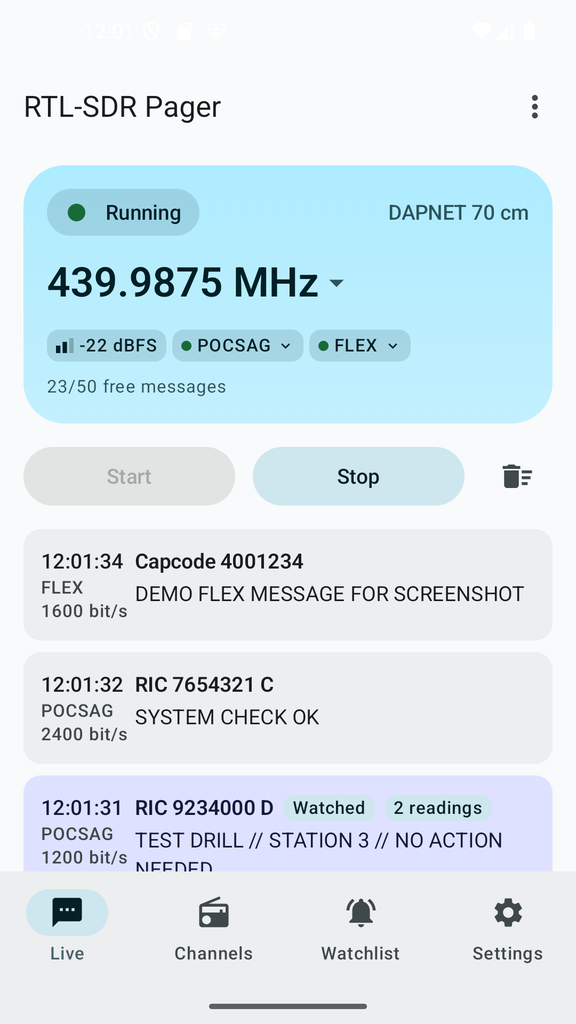
RTL-SDR Pager turns any Android phone into a live POCSAG and FLEX pager decoder. Plug in an RTL-SDR USB dongle, tap Start, and watch decoded pages arrive in real time — no server, no account, no ads.

What it decodes
- POCSAG at 512, 1200 and 2400 bit/s — run all three at once, or narrow it down to save power
- FLEX at up to 6400 bit/s, 2- or 4-level FSK
Every decoded page shows up in a live, auto-scrolling feed with its timestamp, RIC or capcode, bit rate and message text.
Watchlist with push alerts
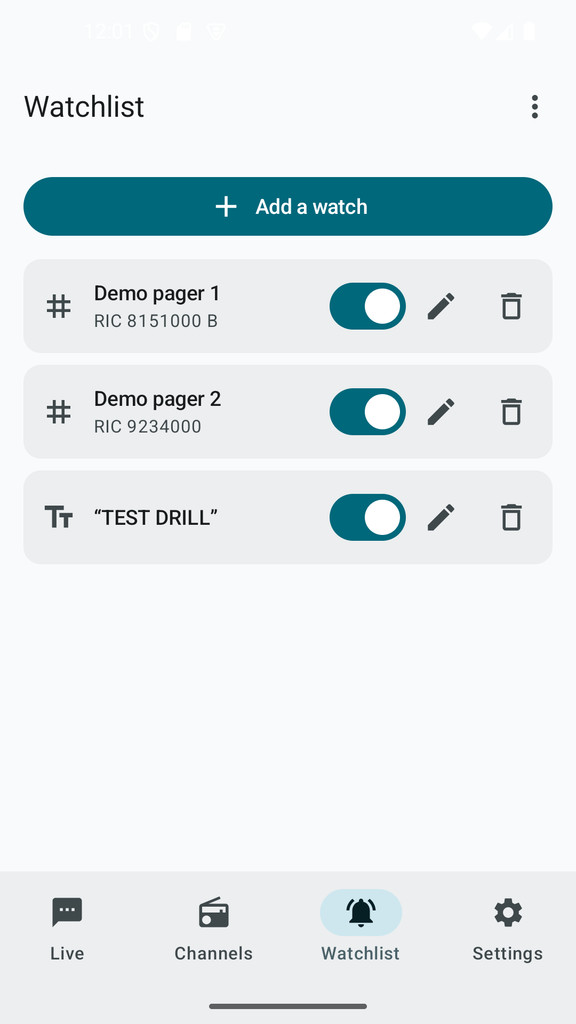
Add a RIC or a keyword to your watchlist and get notified the moment it shows up — even with the app in the background. You choose whether the alert shows the message text or just the fact that something arrived, and you can silence a watch without losing it.
Your own channel list
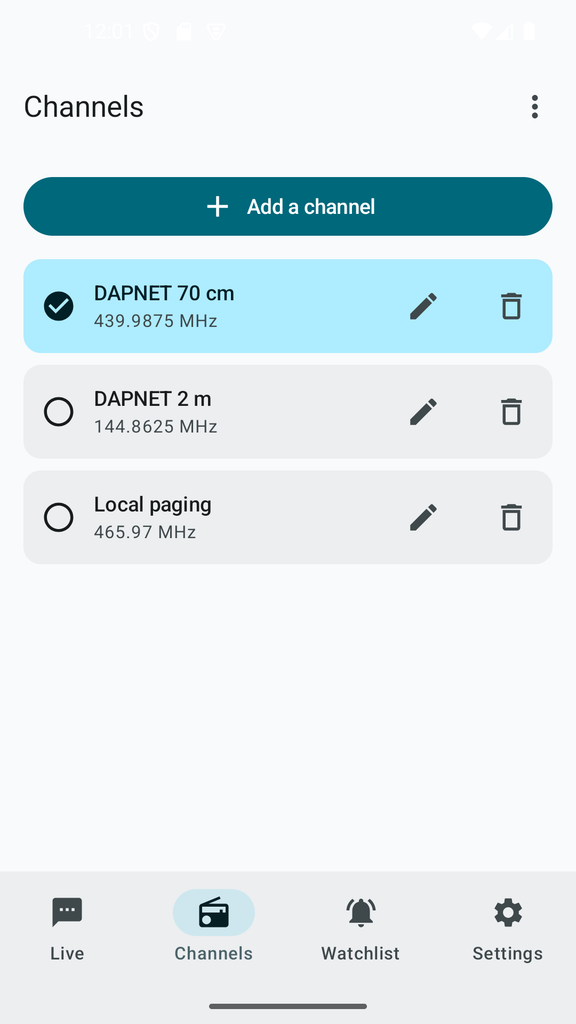
Save the frequencies you monitor under names you choose, and switch between them with one tap. The channel list can be exported and re-imported (premium), so you don’t have to retype it after a device change.
Note
Decoded messages are never written to disk. They exist only in memory for the current session and are gone the moment you close the app. No account, no cloud sync, no analytics, no ads. The only things ever saved on your device are your own watchlist and channel list — never anything actually received over the air.
What you need
- An RTL-SDR USB dongle (RTL2832U-based, e.g. RTL-SDR Blog V3/V4)
- A USB-C to USB-A (OTG) adapter or cable
- Android 10 or later
Free, with an optional upgrade
The app is free to use, with a per-session message allowance. A single one-time purchase — not a subscription — removes that limit and unlocks channel list backup.
License
The native decoding layer (multimon-ng, the DSP chain and the JNI bridge) is GPL-licensed and published separately, so anyone can inspect exactly how the decoding works.
The Kotlin app layer around it is proprietary.
Know your local laws
Pager monitoring rules vary by country. Some paging traffic — amateur radio, for instance — is lawful to receive in many places, while other bands (commercial, emergency services) are not. It’s your responsibility to know and follow the laws that apply where you are.
Legal attribution
Android, Google Play and the Google Play logo are trademarks of Google Inc.
Nice app. How about adding a experimental Mobitex-1200 decoder.
Mobitex-1200 is 1200 bps MSK (2-FSK). Preamble polarity is 0xAA. Sync word is 0xCCCC (BS), 0x3333 (MS).
http://www.decodesystems.com/mobitex.txt
https://teknokoodiradio.vuodatus.net/lue/2018/10/mobitex-1200-462-325-mhz
Good app, works very well, but I’m missing a feature to exclude unwanted RICs—which can generate up to 25 messages about various tests every night.
Will think about – good point
Thanks😀
This feature is now implemneted. Watch for app updates. Let me know what you think.
Hello again.
Thanks for implementing “exclude function” so fast.
It works very well.
Last night, it excluded 764 unwanted messages in two RICs.
A few questions:
Can I choose a sound for the watch list alert?
What are the “syncwords” that appear under the POCSAG icon?
In the future it would be good if each “channel” had its own “watch list”
Thanks!!!!
Bertil in Sweden
Hi Bertil,
Alert sound: There is no sound picker inside the app yet, but Android lets you choose one. Watchlist alerts use their own notification channel, and you can give it any sound you like:
Settings → Apps → RTL-SDR Pager → Notifications → “Watchlist alerts (sound and vibration)” → Sound
(The menu names vary a little between phone makers.) If you have turned off “Play a sound” or “Vibrate” in the app, the channel is called “Watchlist alerts (sound)” or “Watchlist alerts (vibration)” instead. The channel only appears after the first alert has been shown. If you can’t find it yet, wait for one watchlist match and look again.
Sync words: This is mainly a diagnostic number, and you can safely ignore it while messages are coming in. It counts how many times the decoder has locked onto a POCSAG transmission since you pressed Start. It only becomes useful when no messages appear:
If it stays at 0, the app is not hearing any POCSAG signal on that frequency (wrong frequency, or the signal is too weak).
If it keeps rising but no messages show up, the signal is being received but the pages are being filtered or ignored.
To be honest, the label isn’t very clear. I’m looking at replacing it with something more useful, such as how long ago the last signal was heard.
Watchlist per channel: Thanks for the idea, I’ve noted it. Before I decide, could you tell me a bit more about how you would use it? For example, do you see the same RIC numbers on different channels that mean different things? Or do you simply watch for different things on each channel? That would help me find the right solution.
Thanks again for the feedback, it really helps!
info@ebctech.eu
Hello again.
Thank you for your latest response and for the option to exclude certain RICs using the “ignore list.”
It works very well.
The “watch list” feature is also excellent, and the fact that it is displayed in purple is very helpful.
I wonder if it would be possible to introduce a feature where the names assigned to items in the watchlist are displayed instead of just the word “watch” appearing after the RIC code whenever a watched RIC shows up in the main menu?
Hard to remember every listed Ric without a name.
Regards,
Bertil Hermansson, Sweden